
Introduction to Color Tier HyperOS Theme
The world of Xiaomi and Redmi phone customization is vast and vibrant, with numerous themes available to transform the look and feel of your device. Among these, the Color Tier HyperOS theme stands out for its unique blend of style and functionality. Designed by moscreen, this theme is not just a visual overhaul but an immersive experience that can change the way you interact with your phone.
Visual Style and Aesthetic
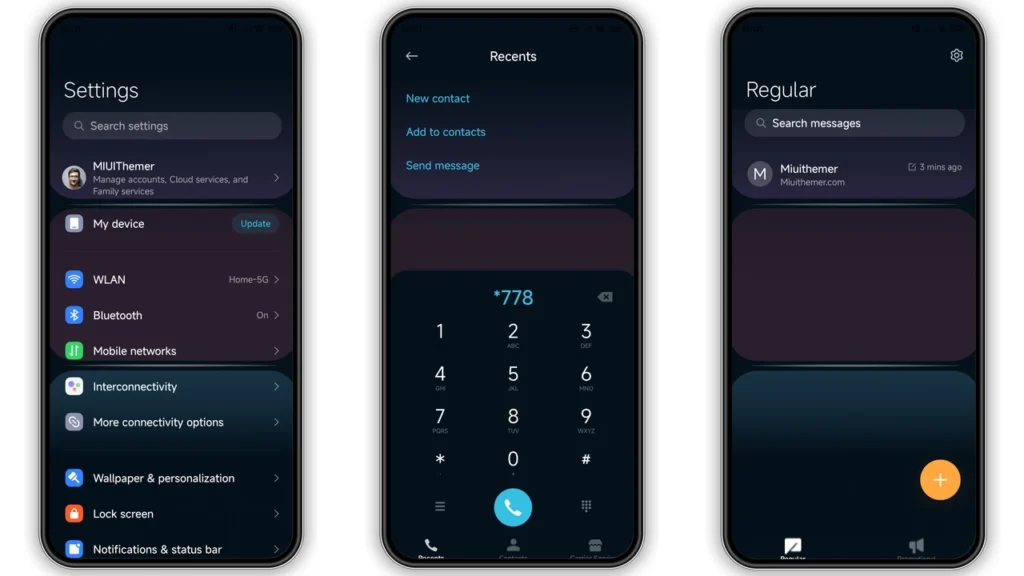
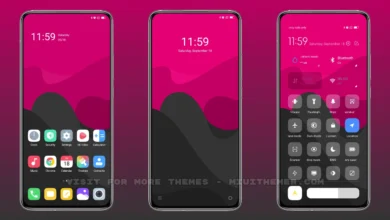
The Color Tier theme is characterized by its vibrant and dynamic visual style. It introduces a new palette of colors that are both soothing and energetic, making it perfect for those who want a theme that is neither too dull nor too overwhelming. The theme comes with well-designed icons, fresh wallpapers, and a redesigned status bar and lock screen that give your phone a modern and sleek look. The Always-on Display feature has also been stylishly integrated, ensuring that your phone looks stunning even when it's locked.
Who May Like This Theme?
This theme is ideal for anyone looking to give their Xiaomi or Redmi phone a fresh new look without compromising on performance. It's particularly suited for:
• Young users who want a vibrant and dynamic theme that reflects their personality.
• Fans of minimalistic designs who want a clean and elegant look without too much clutter.
• Anyone looking to personalize their phone with a unique theme that stands out from the standard themes.
Compatibility Notes
The Color Tier HyperOS theme is compatible with HyperOS and works seamlessly on Xiaomi, Redmi, and POCO smartphones. This means that whether you have a recent model or an older device, you can enjoy the benefits of this theme as long as your phone runs on HyperOS. For those with custom ROMs like Xiaomi EU ROM, MIUIRoom, and other MIUI 11, 12, 13, or 14 based ROMs, the theme can be installed using the MTZ file, making it versatile and accessible to a wide range of users.
Install Expectations
Installing the Color Tier theme is relatively straightforward, especially for those familiar with customizing their Xiaomi devices. For users with HyperOS or MIUI Global Stable ROM, the process involves downloading the theme from the official theme store link and applying it through the Theme Store APP. For those with custom ROMs, the MTZ file can be downloaded and imported into the Theme Store APP for installation.
It's worth noting that the first time you apply the theme, it might take a few moments for all the elements to load properly. In some cases, you might need to restart your device to ensure that everything is applied correctly and that there are no overlapping elements or issues with visibility.
Practical Download Notes
To download the Color Tier theme, you can find the MTZ file available for direct download. This file is essential for installing the theme, especially for those with custom ROMs. Here are a few practical notes to keep in mind:
•Download Location: Ensure you download the MTZ file from a trusted source to avoid any potential security risks.
•File Size: The theme size is approximately 5.20 MB, which is relatively small and should not take long to download, even on slower internet connections.
•Installation Guide: For detailed installation instructions, especially for custom ROM users, refer to the guide provided alongside the theme download. This will walk you through the process of importing the MTZ file and applying the theme.
Conclusion
The Color Tier HyperOS theme is a stunning addition to the world of Xiaomi and Redmi phone customization. With its unique visual style, compatibility with a wide range of devices, and straightforward installation process, it's an excellent choice for anyone looking to elevate their phone's aesthetic and functionality. Whether you're a fan of vibrant themes or just looking for a change of pace, the Color Tier theme is definitely worth considering. So, download the theme, follow the installation guide, and experience the new look and feel of your Xiaomi or Redmi phone today.
Theme Preview
Download Links
Use the buttons below to open the theme file and the supporting link.
Color Tier Theme mtz File
Helpful links
More Theme Updates
For more curated HyperOS and MIUI theme updates, visit Hyper OS x MIUI .


