Parameter · Value
Designer · Goodbye
Size · 8.19 MB
Format · MTZ
Compatibility · HyperOS / MIUI
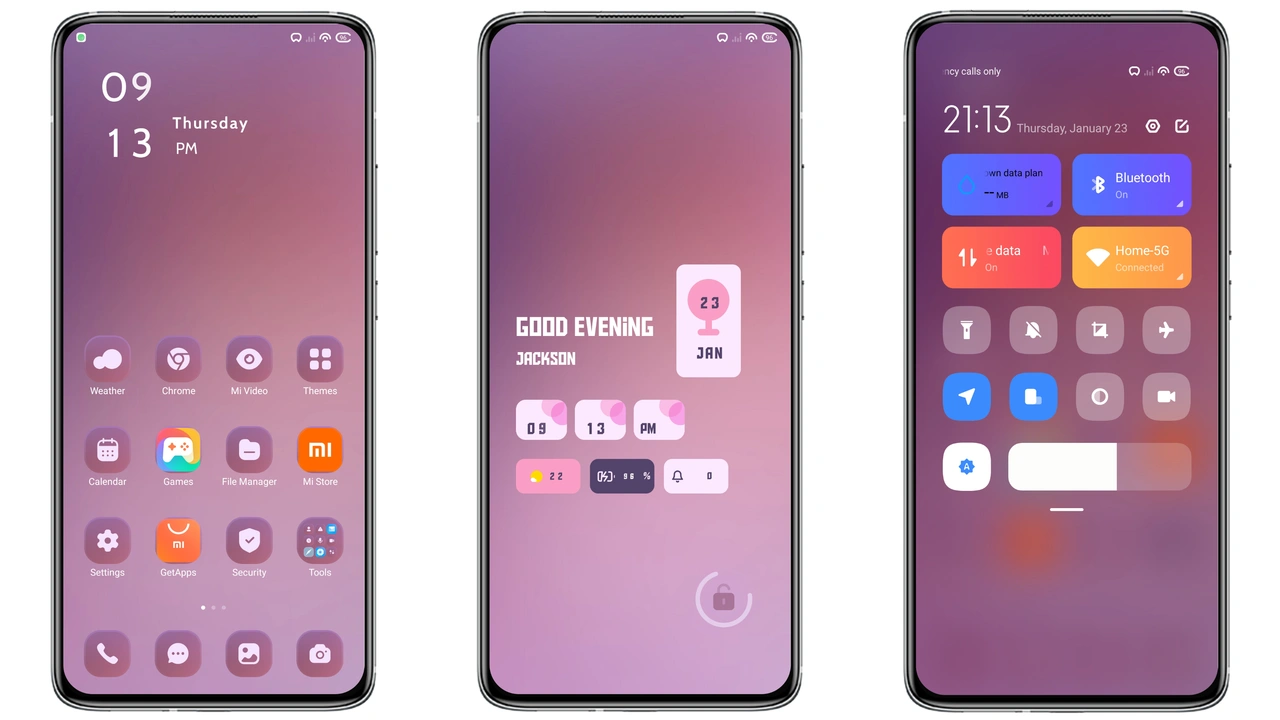
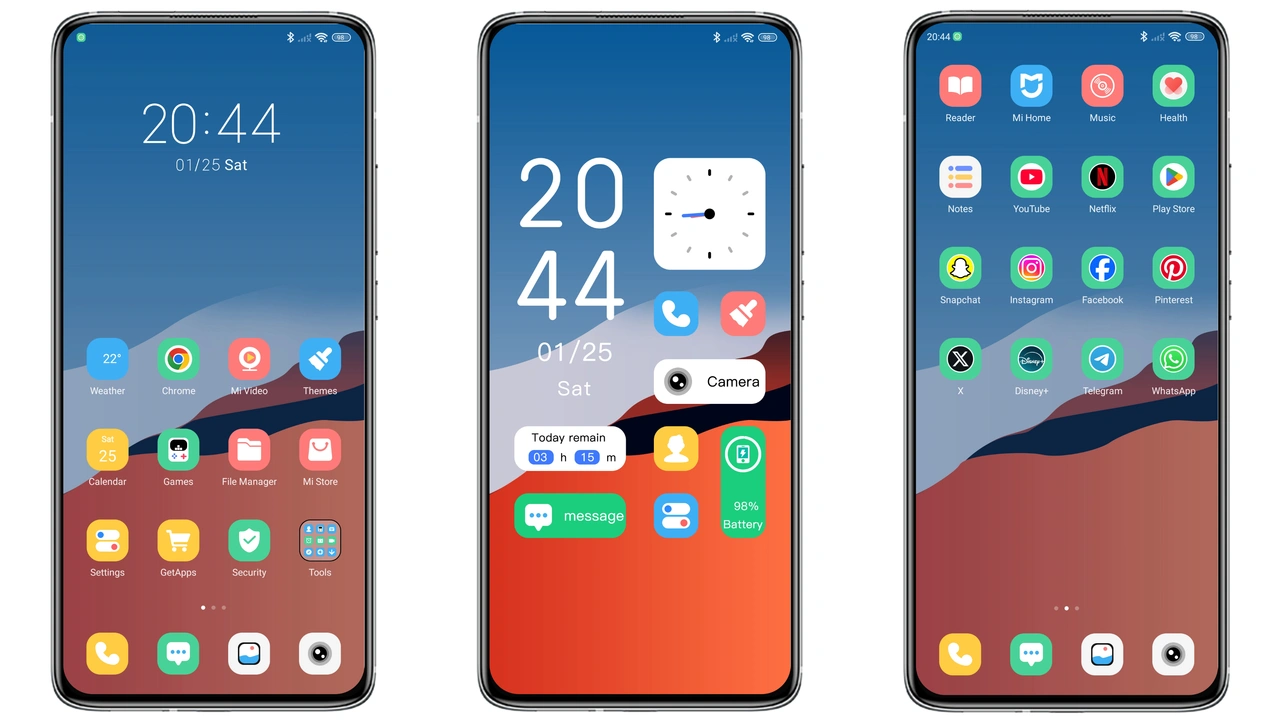
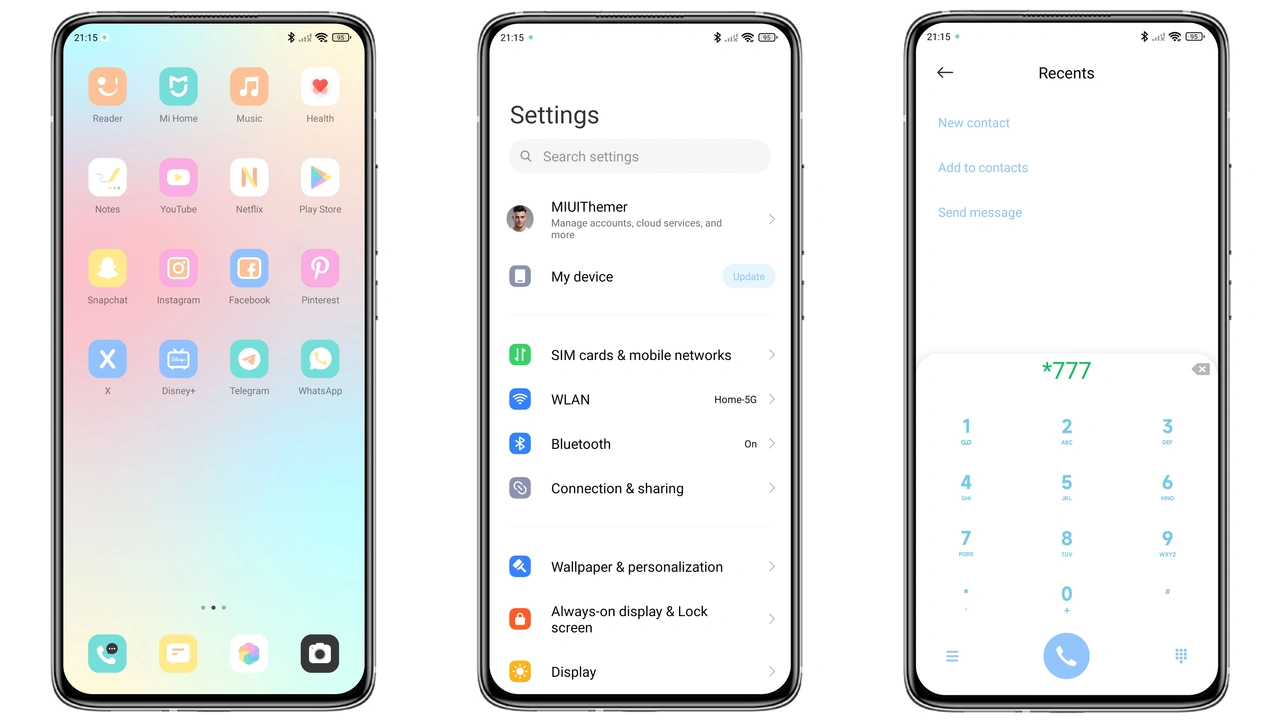
Vivid Gradient Icons That Pop
Icons glow. Colors blend. Gradient flows. Users notice freshness. Theme replaces stock set. Icons scale cleanly. Edge‑to‑edge clarity. Low‑power impact. Battery stays stable. Visual cohesion improves. Home screen brightens. App drawer matches. Consistency feels premium. Night mode respects hues. Dark backgrounds deepen contrast. Color scheme suits all moods. Personalization feels effortless.
Suggested Read: 毛绒马上发财 MTZ Theme Review for Redmi Note, Poco & Mi Users
Dynamic Lock Screen With Subtle Motion
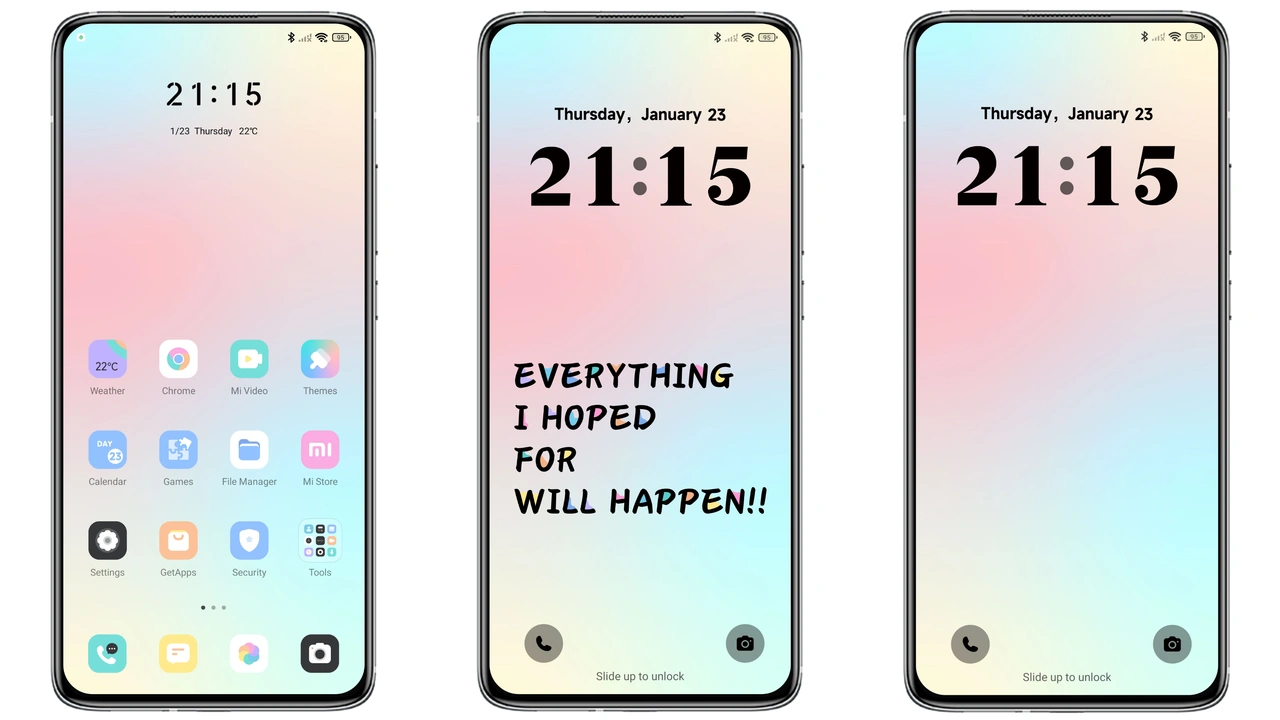
Lock screen animates. Gradient shifts slowly. Motion stays gentle. Distractions remain low. Unlock gesture stays smooth. Slide‑up reacts instantly. Security unchanged. Visual appeal rises. Users enjoy daily glance. Time display adopts theme font. Date aligns centrally. Weather widget inherits colors. Notifications appear on matching backdrop. Battery icon mirrors gradient. Overall experience feels alive.
Always‑On Display That Complements Night Mode
AOD inherits palette. Icons remain visible. Brightness adapts automatically. Ambient light sensor guides intensity. Dark mode dims gradient. Light mode brightens subtly. Information stays readable. Clock style matches theme. Date line follows same font. Notification icons keep hue. No flicker observed. Power draw stays minimal. Users report satisfaction. Night‑time usage feels soothing.
Installation Steps and Compatibility Tips
Download MTZ file. Locate file in storage. Open Theme Store app. Tap “Import”. Select downloaded MTZ. Confirm import. Apply theme. Restart device. Restart clears overlays. Ensure device runs HyperOS or MIUI. Check version supports MTZ. Older builds may reject file. If rejection occurs, update OS. For POCO devices, same steps apply. Custom ROM users follow same import path. No root required. No extra tools needed. Installation completes within minutes.
Pros and Cons
Pros
• Vibrant gradient icons.
• Smooth dynamic lock.
• Cohesive AOD design.
• Low battery impact.
• Simple one‑tap install.
• Works on Xiaomi, Redmi, POCO.
Cons
• No built‑in dark‑mode toggle.
• Limited widget styling.
• Requires OS version supporting MTZ.
• No alternative icon packs included.
Theme Preview

Download Links
Use the buttons below to open the theme file and the supporting link.
Wish Fulfillment Theme mtz File
Helpful links
More Theme Updates
For more curated HyperOS and MIUI theme updates, visit Hyper OS x MIUI .