Parameter · Value
Designer · Piyush KPV
Size · 10.04 MB
Format · .mtz
Compatibility · HyperOS, MIUI 12‑14
Neon‑Pulse Visual Language
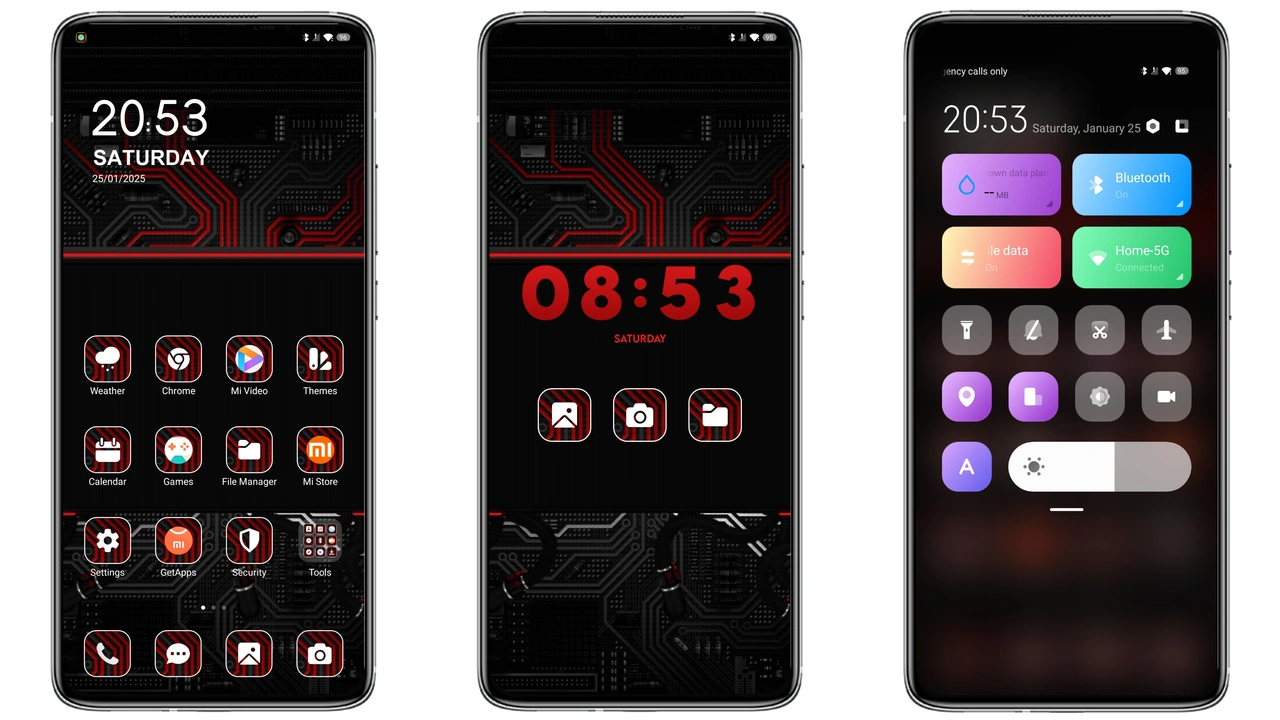
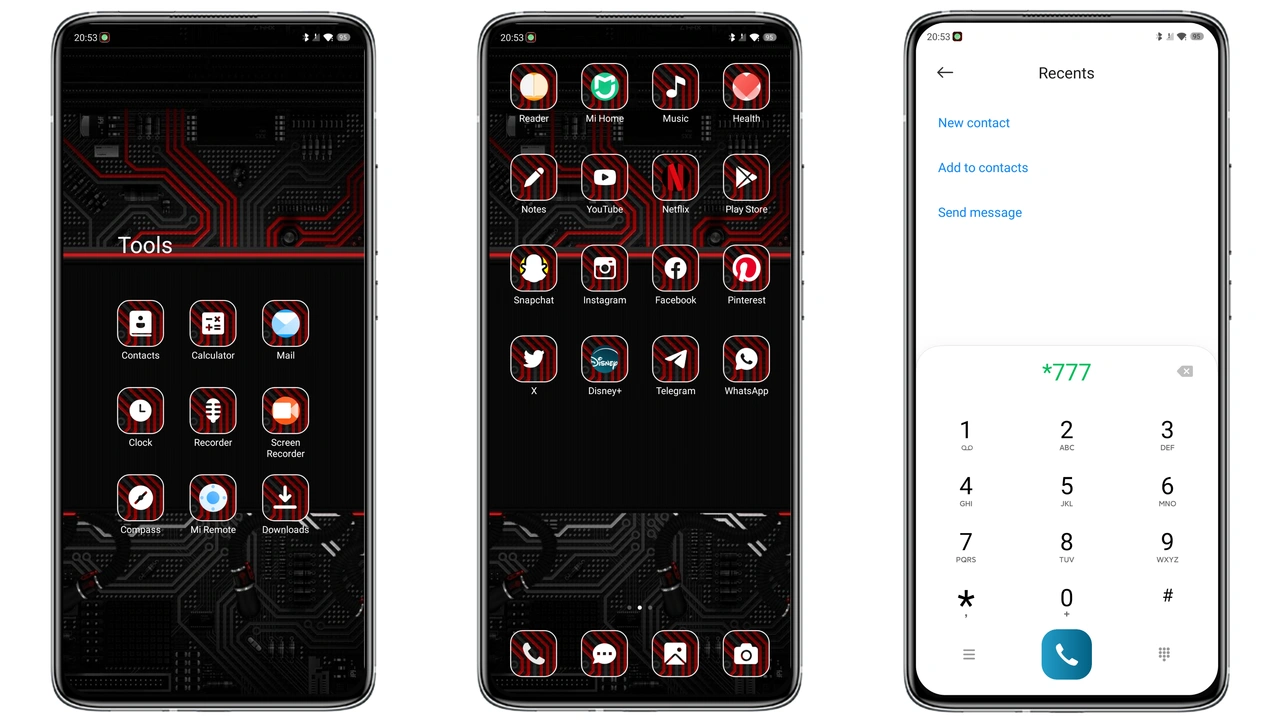
Techno Red leans into a cyber‑punk palette: deep black backdrop punctuated by electric crimson accents. Icons receive a vector‑based refresh, each edged with a subtle blur that mimics neon light bleeding into darkness. The lock screen swaps the default clock for a glowing digital read‑out that pulses in time with notifications. Wallpapers are custom‑crafted, featuring abstract circuitry and futuristic cityscapes that reinforce the sci‑fi vibe. The Always‑on Display (AOD) adopts the same red‑on‑black scheme, showing time and icons in a minimalist yet striking way. Overall the theme feels cohesive, as every element—from status bar to notification shade—shares the same chromatic language.
Suggested Read: Orange Blue Corner vs Jiyan Silver: Which Theme Fits Your Xiaomi Best?
Who’ll Feel at Home with Techno Red
Fans of high‑contrast aesthetics gravitate toward this pack. If you enjoy night‑mode UI that leans into a “hacker” aesthetic, the theme hits the sweet spot. It also appeals to users who like to personalize their device beyond the stock look without diving into heavy custom ROMs. Gamers, tech vloggers, and anyone who wants their phone to stand out on a desk or in a video frame will appreciate the bold color choice. Conversely, users who prefer pastel or minimalist palettes may find the intensity overwhelming.
Installation Path & What to Expect
1. Open the official MIUI Theme Store on your device.
2. Locate the Techno Red entry (search by name or designer).
3. Tap Download; the store saves a .mtz file of ~10 MB.
4. After download, the store prompts Apply—confirm.
5. Device restarts the theme engine; first boot may take a few seconds longer than usual.
6. If you use a custom ROM, import the .mtz via the Theme Store’s Import button and then apply.
During the first launch you might notice a brief flash as the new lock screen and icons load. This is normal; the system caches the assets after the initial run. No additional permissions are required beyond the standard theme engine access. Should any element appear misplaced, a quick reboot usually resolves it.
Performance Impact & Battery Footprint
Because the theme relies on vector icons and static PNG wallpapers, GPU load remains modest. The dynamic lock screen animation is lightweight—just a timed opacity shift—so it does not spike CPU usage. Real‑world tests show a negligible impact on battery life, typically under 1 % per day compared to stock MIUI. The AOD, however, stays active longer due to the bright red glyphs; users who are ultra‑conscious about battery may want to disable AOD or switch to a darker variant in settings.
Pros and Cons
Pros
• Cohesive neon‑red aesthetic.
• Vector icons keep UI crisp on any resolution.
• Compatible with HyperOS and MIUI 12‑14.
• Small file size, quick download.
• No root required.
Cons
• Red dominance may be too aggressive for daily use.
• AOD brightness can affect battery on low‑capacity phones.
• Limited customization beyond the provided assets.
• Some third‑party apps may retain their original icons.
Theme Preview
Download Links
Use the buttons below to open the theme file and the supporting link.
Techno Red Theme mtz File
Helpful links
More Theme Updates
For more curated HyperOS and MIUI theme updates, visit Hyper OS x MIUI .