Parameter · Value
Designer · TOO
Size · 78.92 MB
Format · MTZ
Compatibility · HyperOS / MIUI (Xiaomi, Redmi, POCO)
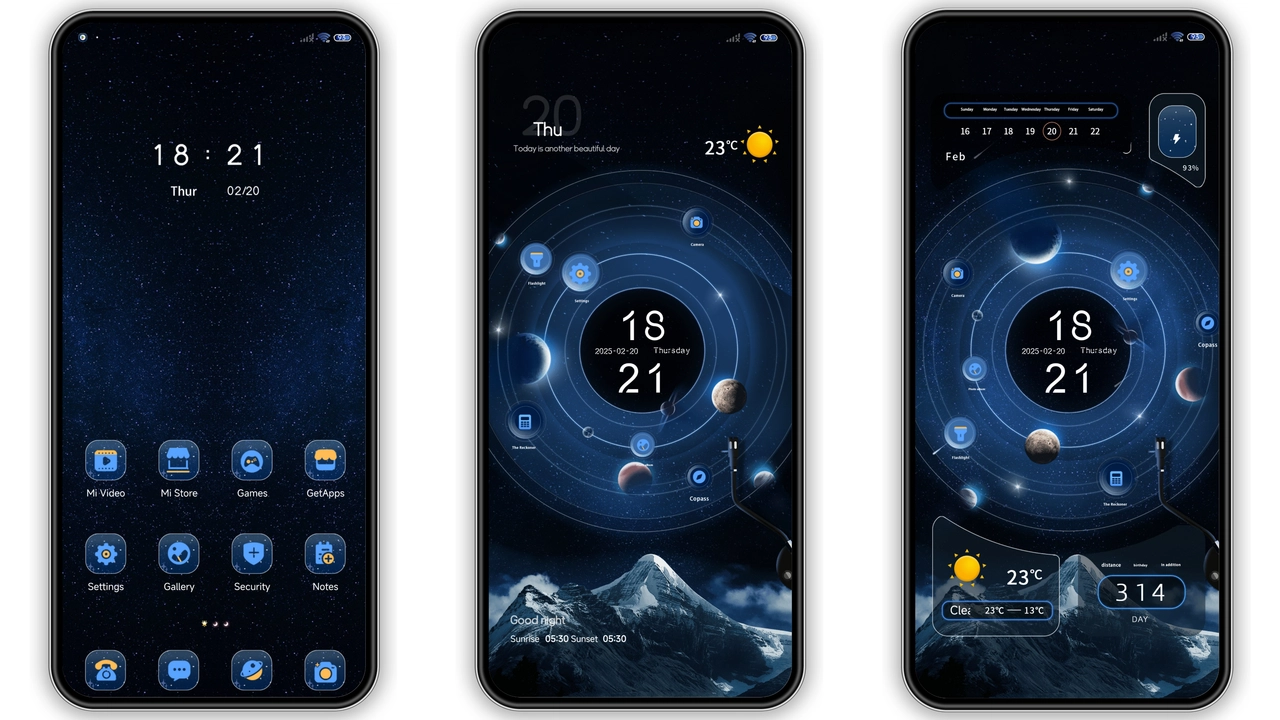
Galactic Night Sky Visuals
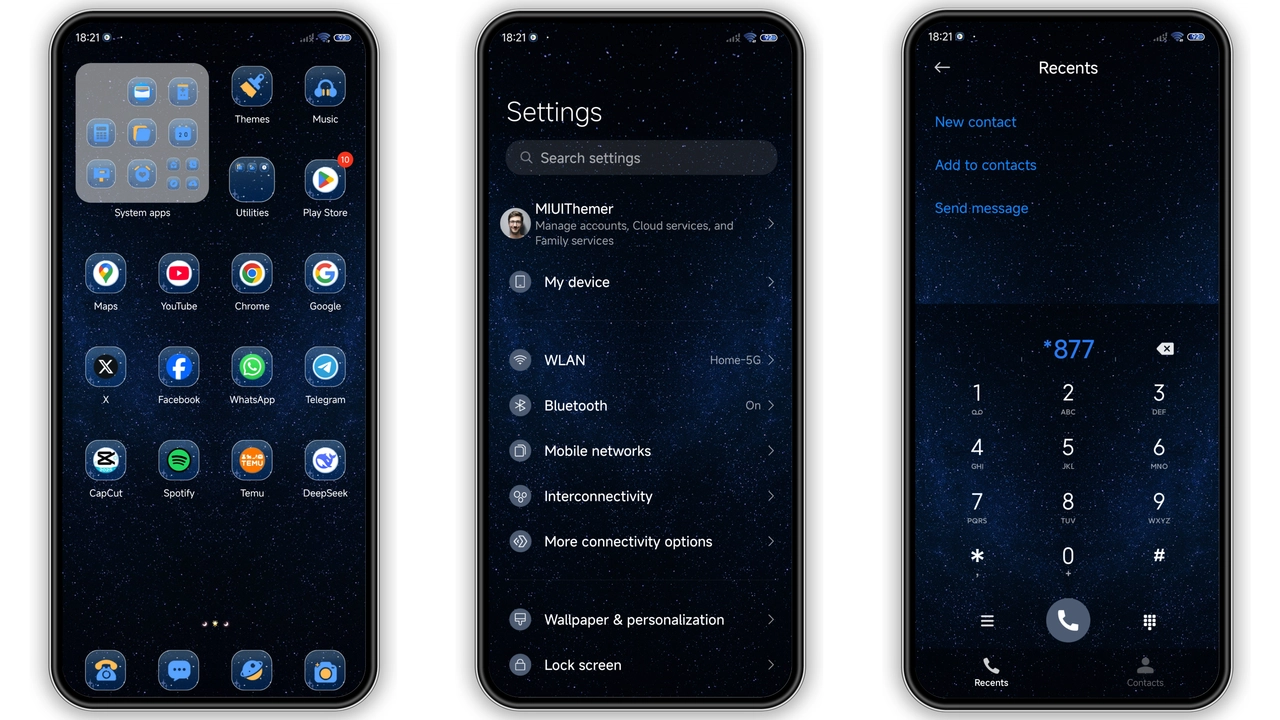
Star Records drops users into a midnight nebula. Backgrounds blend deep indigo with subtle blue gradients, giving the home screen a sense of endless depth. Icons receive a custom outline that glows faintly, echoing distant stars. The lock screen animates a slow‑moving starfield, while the Always‑On Display (AOD) shows a minimalist clock framed by a faint aurora. Color accents—electric blue and jet black—appear in notification badges, quick‑settings toggles, and the navigation bar, keeping the palette cohesive.
Suggested Read: Moon City MTZ vs Standard HyperOS Theme – Which Fits Your Phone?
Who’ll Feel At Home with Star Records
Fans of sci‑fi aesthetics, gamers who love dark UI, and anyone tired of pastel MIUI skins gravitate toward this theme. It suits users who appreciate a balance between visual flair and readability; the contrast is high enough for outdoor use, yet the glow remains subtle enough not to strain eyes at night. If you own a Xiaomi, Redmi or POCO device running HyperOS or MIUI, the theme integrates seamlessly with native widgets and third‑party launchers.
Installation Walkthrough & What to Expect
1. Download the MTZ file from the provided Mediafire link. 2. Open the Theme Store app, tap the three‑dot menu, choose Import, and select the downloaded file. 3. Apply the theme; the system will prompt a quick restart to finalize icon packs and lock‑screen assets. 4. After reboot, verify that the new wallpapers, icons, and AOD appear as described.
Expect a brief loading screen while the system extracts assets—typically under a minute on modern hardware. No root access is required; the theme respects the device’s native security model. If you encounter a missing component warning, double‑check that your OS version matches the listed compatibility (HyperOS or MIUI 14+). The theme does not alter system fonts, so existing typography remains untouched.
Performance & Battery Impact
Because Star Records relies on static PNG assets and modest vector outlines, CPU usage stays low. The animated lock‑screen starfield runs at 30 fps, a negligible load compared to typical UI animations. Battery drain is comparable to stock MIUI; users report no noticeable dip after a week of daily use. The theme’s dark base does help OLED screens conserve power, especially when the AOD is active.
Pros and Cons
• Pros
• Cohesive dark aesthetic with subtle blue accents.
• High contrast icons improve readability.
• Minimal performance impact; smooth animations.
• Compatible with HyperOS, MIUI, and POCO devices.
• Easy import via Theme Store, no root needed.
• Cons
• Limited customization beyond the provided palette.
• AOD clock style cannot be changed without additional mods.
• No alternative font options; relies on system default.
• Slightly larger file size for a theme (78 MB).
Overall, Star Records delivers a polished, space‑inspired overhaul that feels native to HyperOS while giving Xiaomi, Redmi and POCO users a fresh visual identity. Its low‑impact design makes it a safe bet for daily drivers, and the cosmic motif adds personality without sacrificing usability.
Theme Preview
Download Links
Use the buttons below to open the theme file and the supporting link.
Star Records Theme mtz File
Helpful links
More Theme Updates
For more curated HyperOS and MIUI theme updates, visit Hyper OS x MIUI .