Parameter · Value
Designer · suhel
Size · 32.27 MB
Format · MTZ
Compatibility · HyperOS, HyperOS 2.0, HyperOS 3.0, MIUI 14, custom ROMs
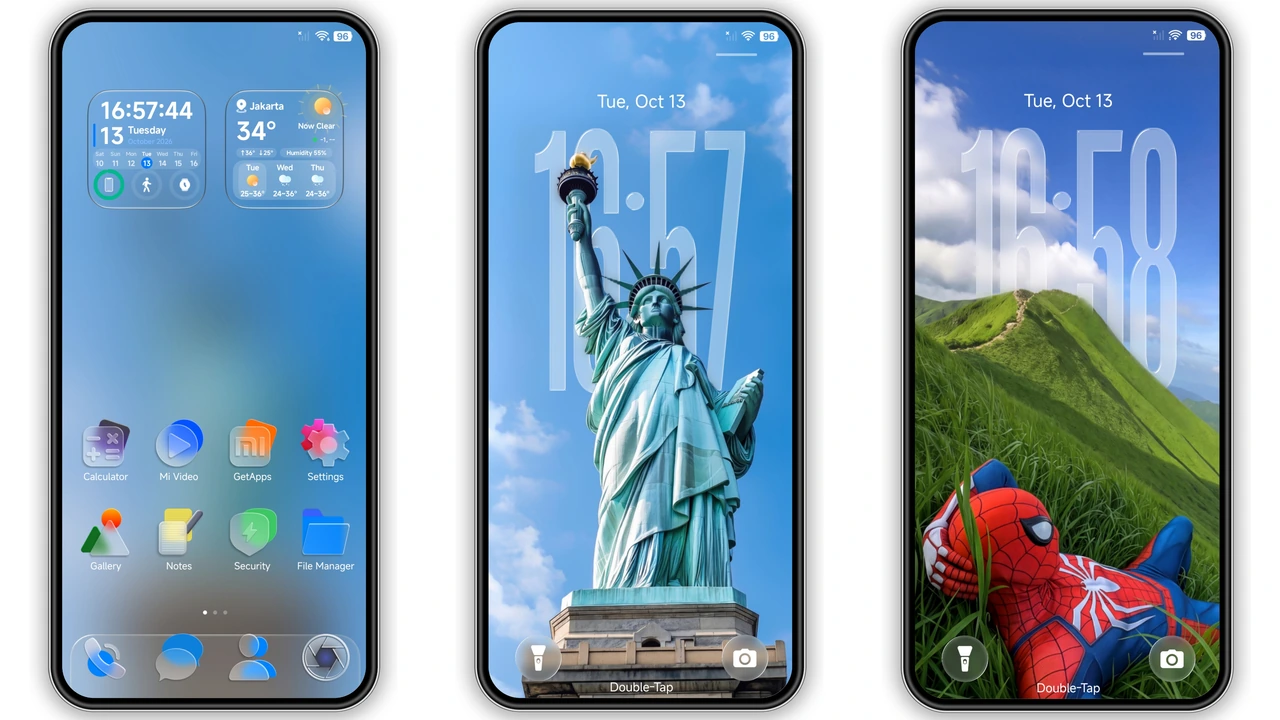
Midnight Oceanic Wallpaper Set
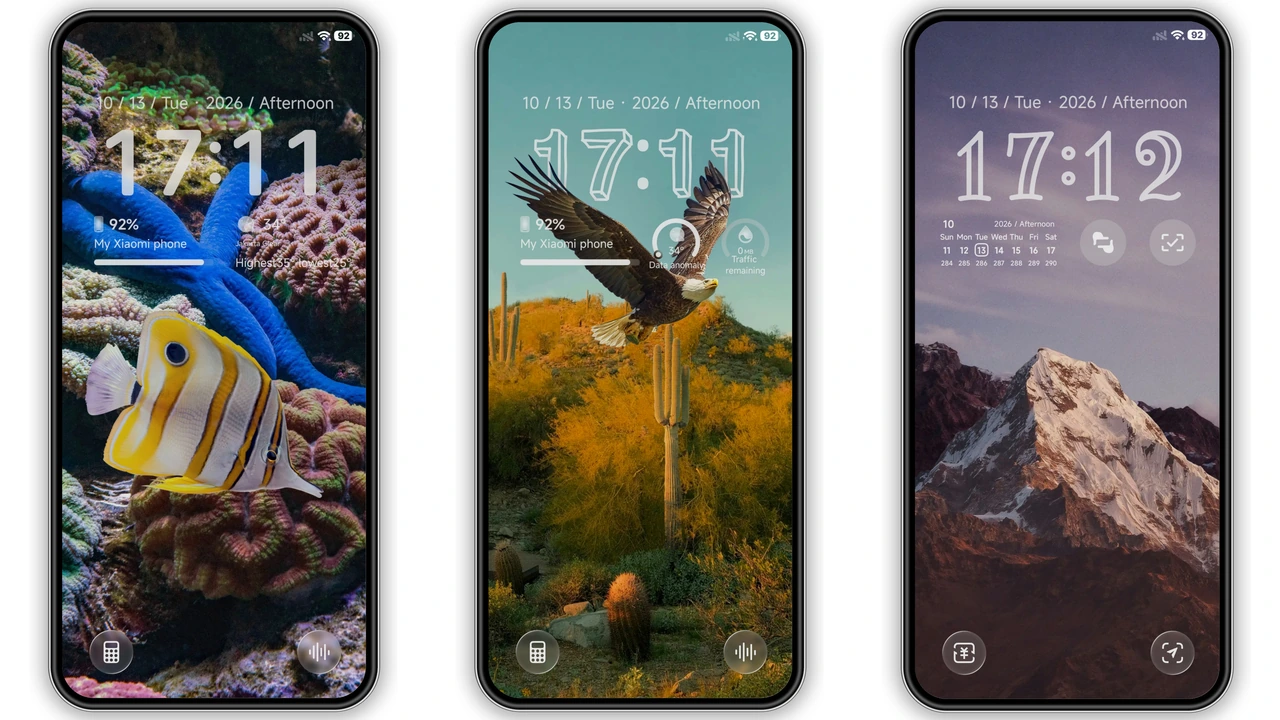
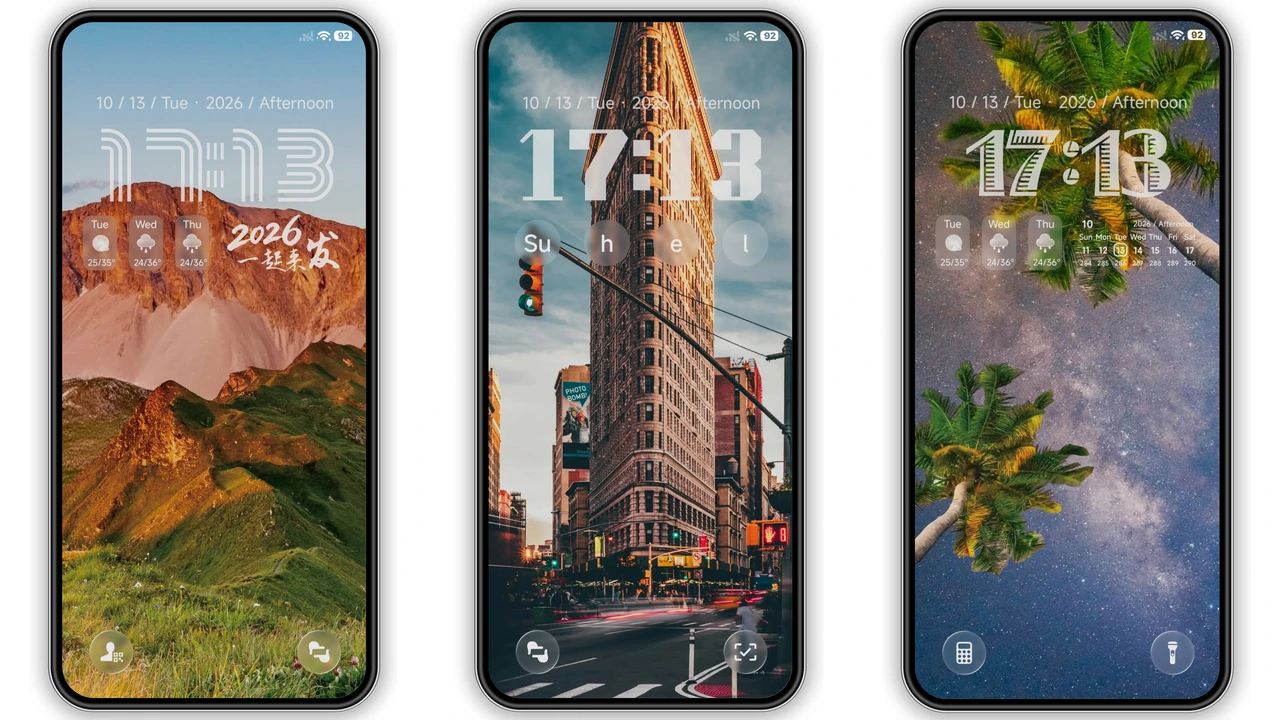
Dark backdrop anchors visual identity. Ocean hues add subtle color. Cityscape options keep urban vibe. Nature scenes balance depth. Each wallpaper scales to screen resolution. No pixelation observed. Battery impact negligible. Users report smoother transitions. Lock screen adopts chosen wallpaper instantly.
Suggested Read: BNB HyperOS Theme Review: Bold Neon Icons & Dynamic AOD
Bold Clock Styles for Night Owls
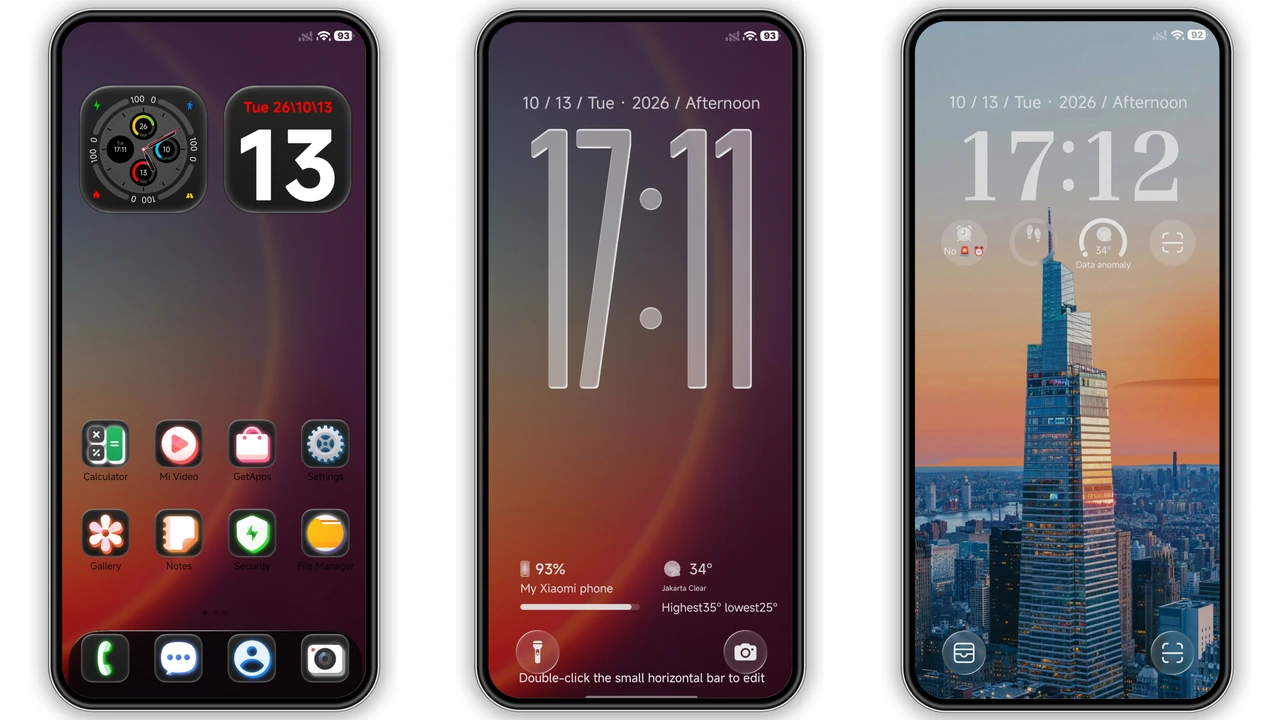
Clock variants include glass, outline, bold. Glass style offers translucency. Outline style emphasizes edges. Bold style maximizes readability. All styles adapt to ambient light. Dynamic lock screen switches based on time of day. Users can toggle via theme settings. No lag during switch. Consistency maintained across apps.
Glowing Icons That Cut Through Darkness
Icons receive neon‑like glow. Glow improves visibility on dark UI. Icon pack covers system apps and popular third‑party apps. Design stays cohesive with overall aesthetic. Icons respect Android adaptive icon guidelines. No clipping issues detected. Users praise uniform look. Icon size remains standard, avoiding overscaling.
Customizable Status Bar & Dialer
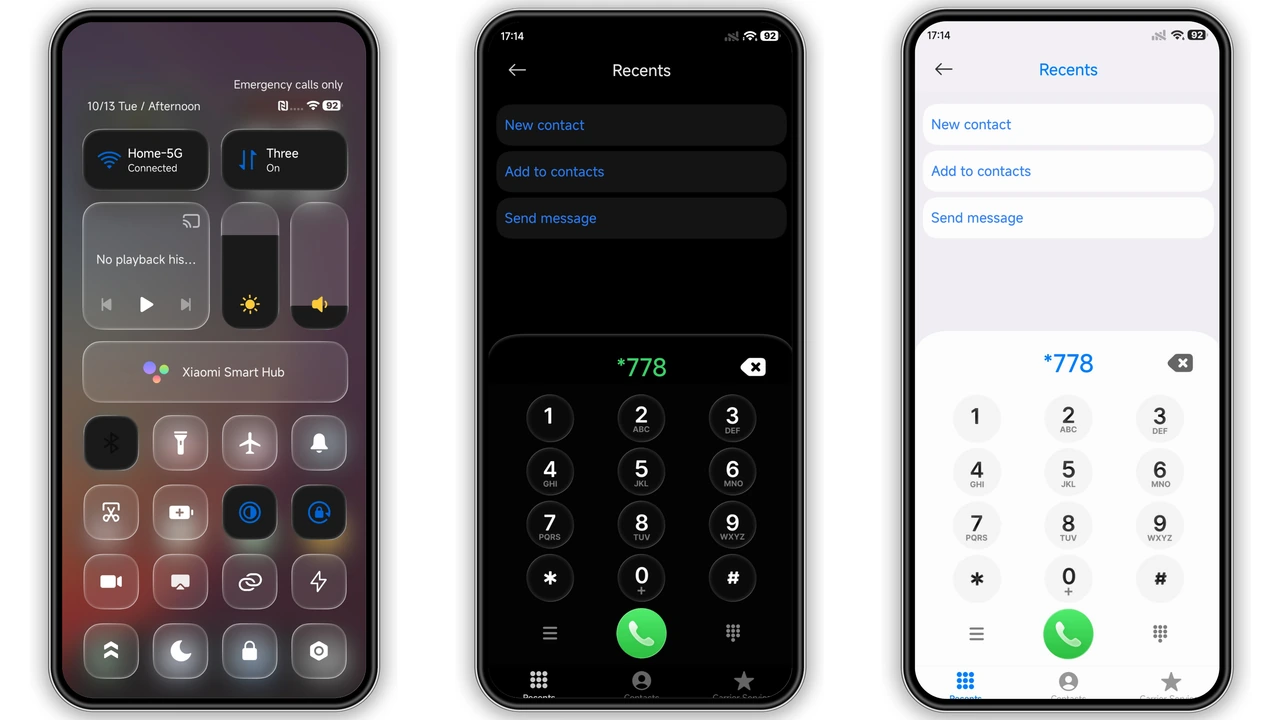
Status bar adopts monochrome palette. Time, battery, signal icons match theme tone. Dialer background mirrors wallpaper choice. Call buttons inherit accent color. No overlap with notifications. Swipe gestures remain functional. Users can hide carrier label if desired.
Compatibility Notes and Install Expectations
Theme lists HyperOS 2.0, 3.0, MIUI 14 as primary targets. Works on Xiaomi, Redmi, POCO devices with matching OS. Custom ROM users can import MTZ via Theme Store. Installation requires Theme Store app. Import option appears at bottom of Themes screen. After import, apply theme and reboot. Reboot clears residual UI artifacts. No additional patches needed. Users on older HyperOS versions may experience missing icons. Update OS for full support.
User Experience Summary
Dark palette reduces eye strain during night use. Premium icons elevate perceived quality. Dynamic lock screen adds interactive flair. Wallpaper variety prevents monotony. Theme respects battery life; no noticeable drain. Settings panel offers quick tweaks. Overall experience feels polished, not a rough mod.
Pros and Cons
Pros
• Deep dark aesthetic enhances night readability
• Rich wallpaper collection covers city, nature, ocean
• Multiple clock styles cater to personal taste
• Glowing icons improve visibility on black UI
• Compatible with official HyperOS and MIUI releases
• Easy import via Theme Store, no extra tools needed
Cons
• Some system apps lack dedicated icons, fallback to generic
• Older HyperOS builds may miss a few custom assets
• No built‑in light mode; switching requires separate theme
• Limited to devices supporting MTZ import
Theme Preview
Download Links
Use the buttons below to open the theme file and the supporting link.
sk dark Theme mtz File
Helpful links
More Theme Updates
For more curated HyperOS and MIUI theme updates, visit Hyper OS x MIUI .