Parameter · Value
Designer · —
Size · 11.9 MB
Format · MTZ
Compatibility · HyperOS / MIUI
Playful Visual Language and Color Palette
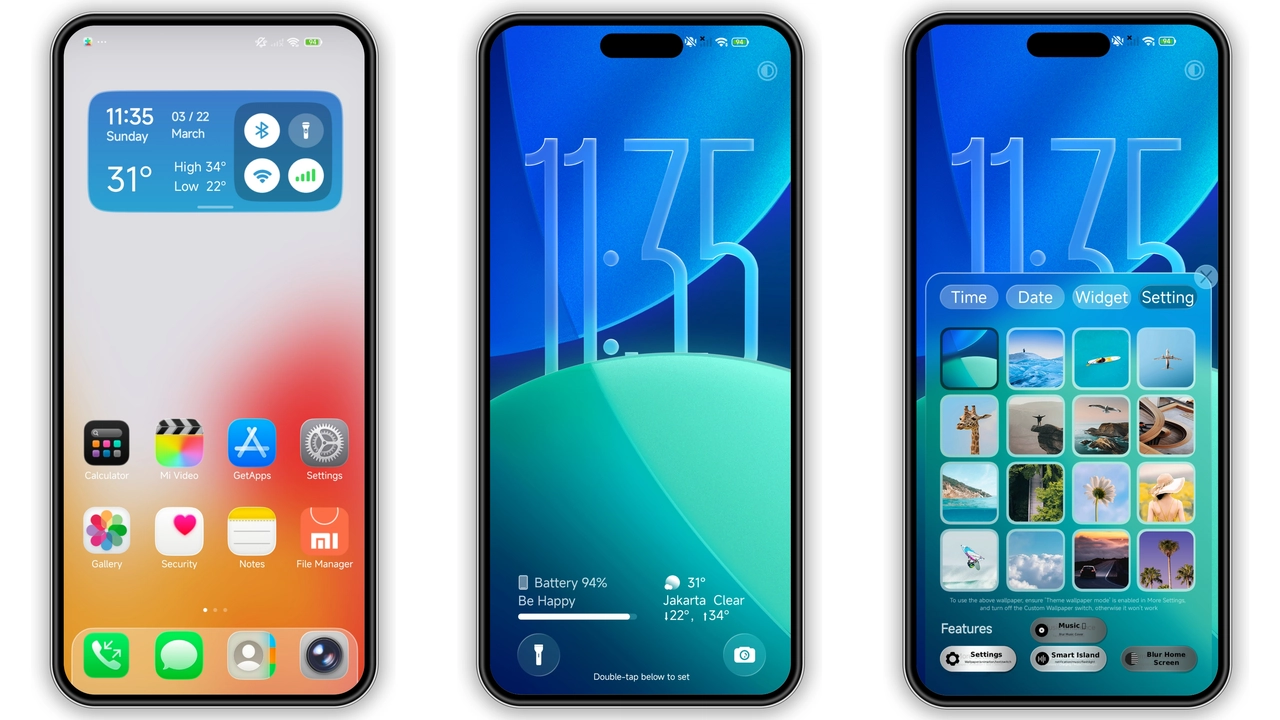
Poo‑Magic throws conventional gray aside. Neon‑green accents splash across lock‑screen widgets, while pastel‑blue gradients soften the notification shade. Icons swap stock silhouettes for cartoon‑style glyphs that echo a whimsical laboratory vibe. The wallpaper set features high‑contrast, slightly abstract patterns that keep readability high even in bright daylight. Fonts stay on the system default, ensuring legibility while the theme’s color overrides give a cohesive, eye‑catching feel.
Suggested Read: OX GR1 HyperOS Theme Review: Dark Elegance for Xiaomi & Redmi
Ideal Users and Everyday Scenarios
Early‑adopters of custom UI love a dash of personality; Poo‑Magic hits that sweet spot. Fans of anime‑inspired skins will appreciate the exaggerated icon outlines. Professionals who need a clear hierarchy still benefit from the theme’s strong contrast ratios. The design works equally well for night‑owl users because dark mode automatically respects the neon highlights without washing them out. If you enjoy tweaking your phone’s look daily, this theme offers enough variety to keep the experience fresh.
Installation Walkthrough and Expected Behavior
1. Open the Mi Theme Store on your device.
2. Search for “Poo‑Magic” and tap the download button.
3. Wait for the MTZ package (≈12 MB) to finish downloading.
4. Apply the theme directly from the store interface.
5. Restart the phone if any UI elements appear overlapped.
On standard HyperOS builds the theme applies instantly to the lock screen, home screen, system apps, and the Control Center. Custom ROM users follow the same steps, but must import the MTZ file via the Theme Store’s “Import” option. After applying, the system caches the new assets; a quick reboot clears residual graphics and prevents ghosting.
Pros and Cons
Pros
• Bold, cohesive color scheme that stands out.
• High‑resolution icons and wallpapers.
• Seamless compatibility with both HyperOS and MIUI.
• Easy one‑tap install via official store.
• Low memory footprint (≈12 MB).
Cons
• Cartoonish icon style may not suit minimalist tastes.
• Animated wallpaper optional; static version required for low‑end devices.
• Minor UI overlap reported on rare custom ROM builds; resolved with a reboot.
Overall, Poo‑Magic delivers a playful yet functional overhaul that breathes new life into Xiaomi Redmi phones without sacrificing performance. Its straightforward installation and broad compatibility make it a solid choice for anyone looking to break free from the stock aesthetic.
Theme Preview


Download Links
Use the buttons below to open the theme file and the supporting link.
Download Poo-Magic MTZ File
Helpful links
More Theme Updates
For more curated HyperOS and MIUI theme updates, visit Hyper OS x MIUI .