Parameter · Value
Designer · agit77
Size · 20.41 MB
Format · MTZ
Compatibility · HyperOS / MIUI
Midnight Blues: The Visual Language
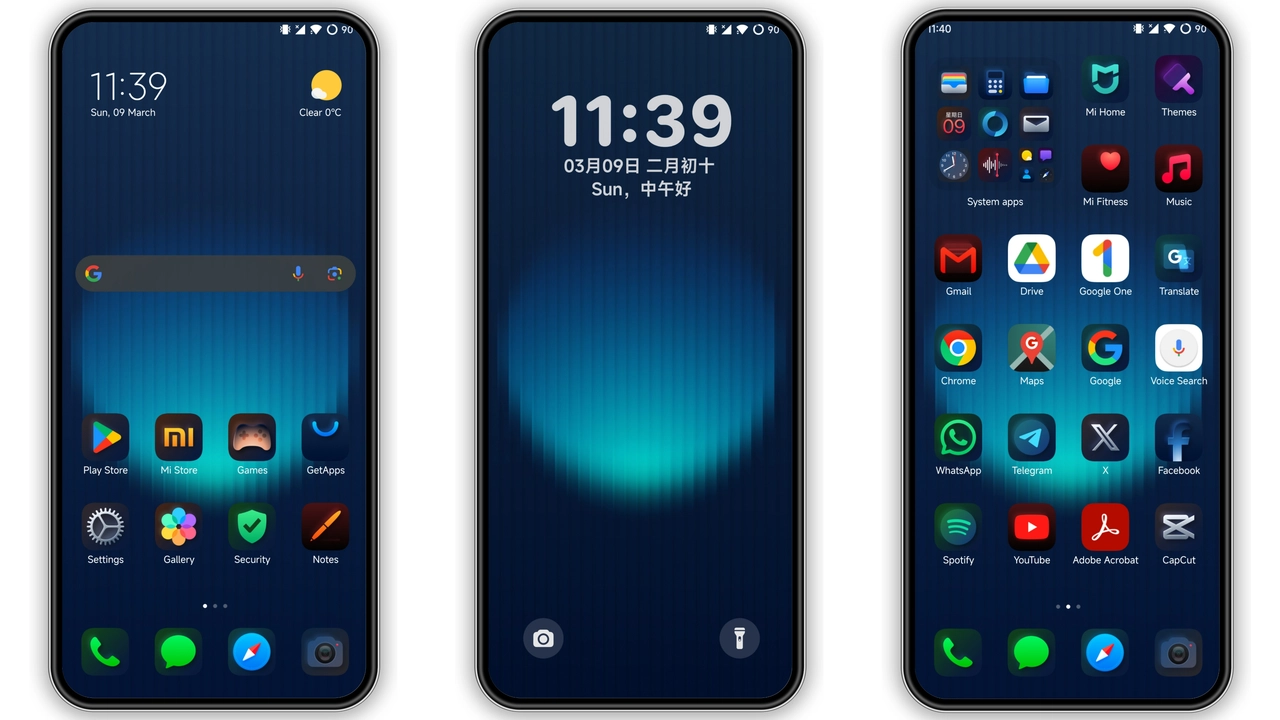
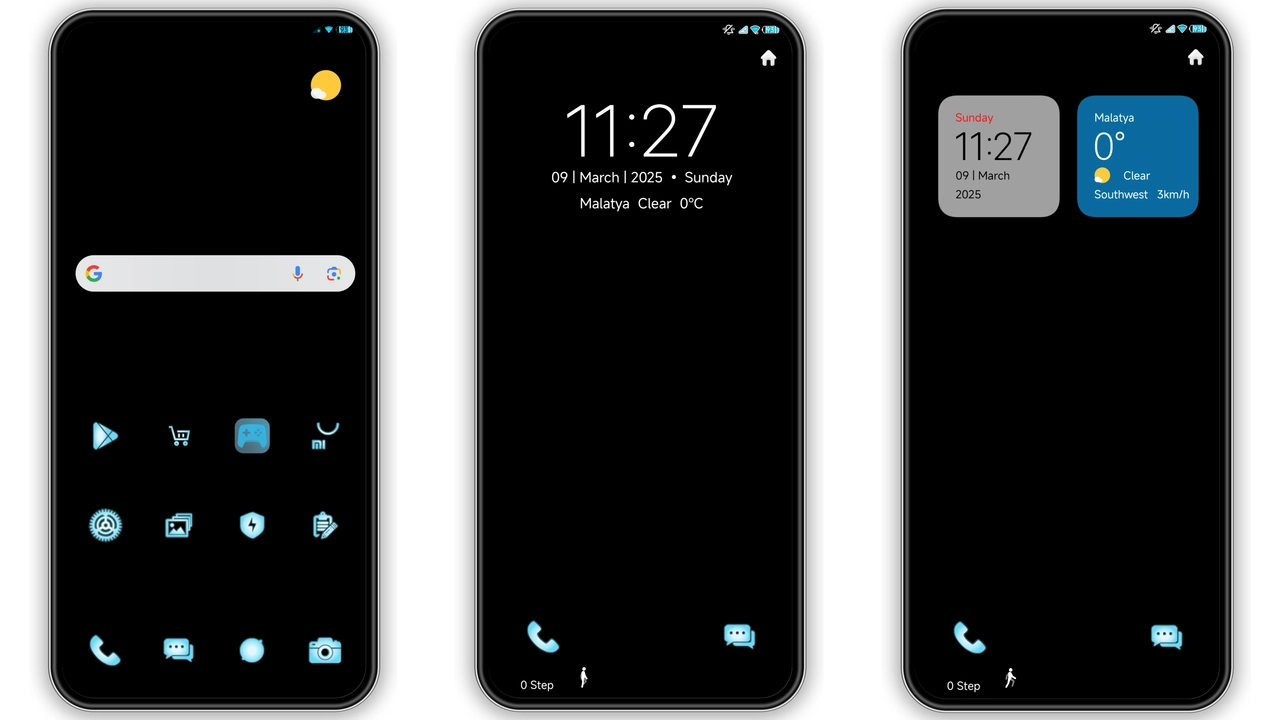
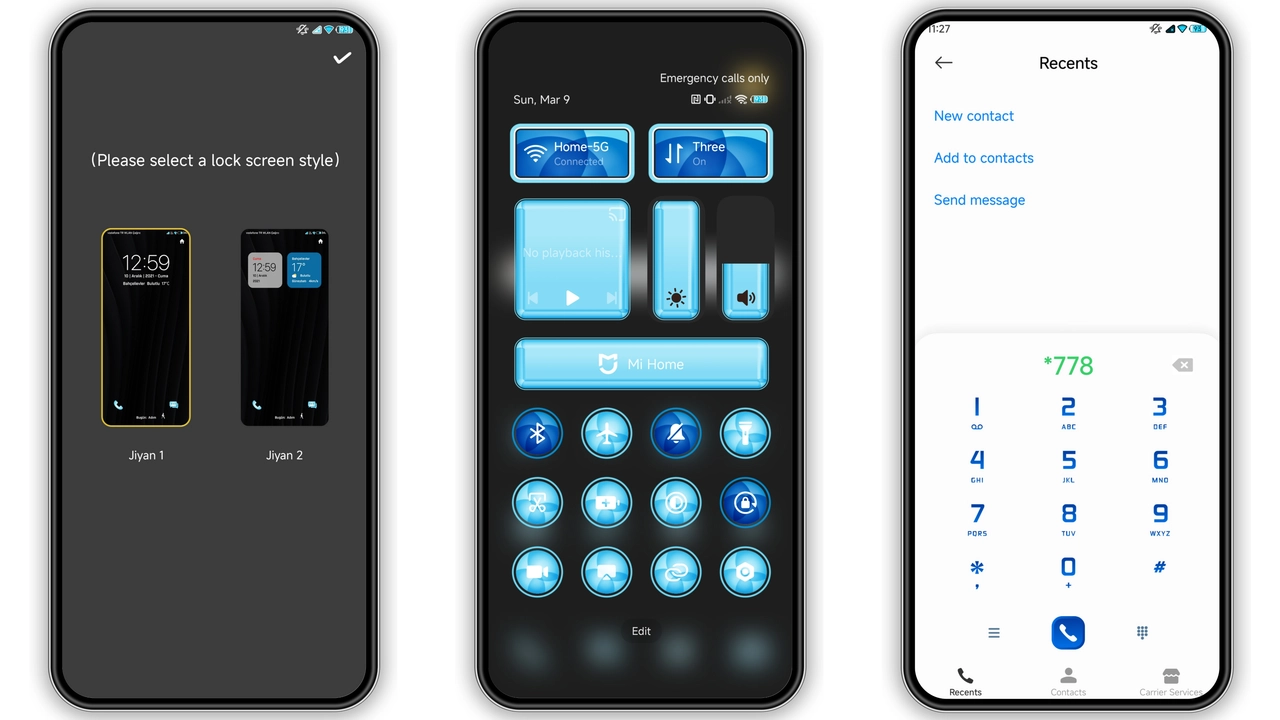
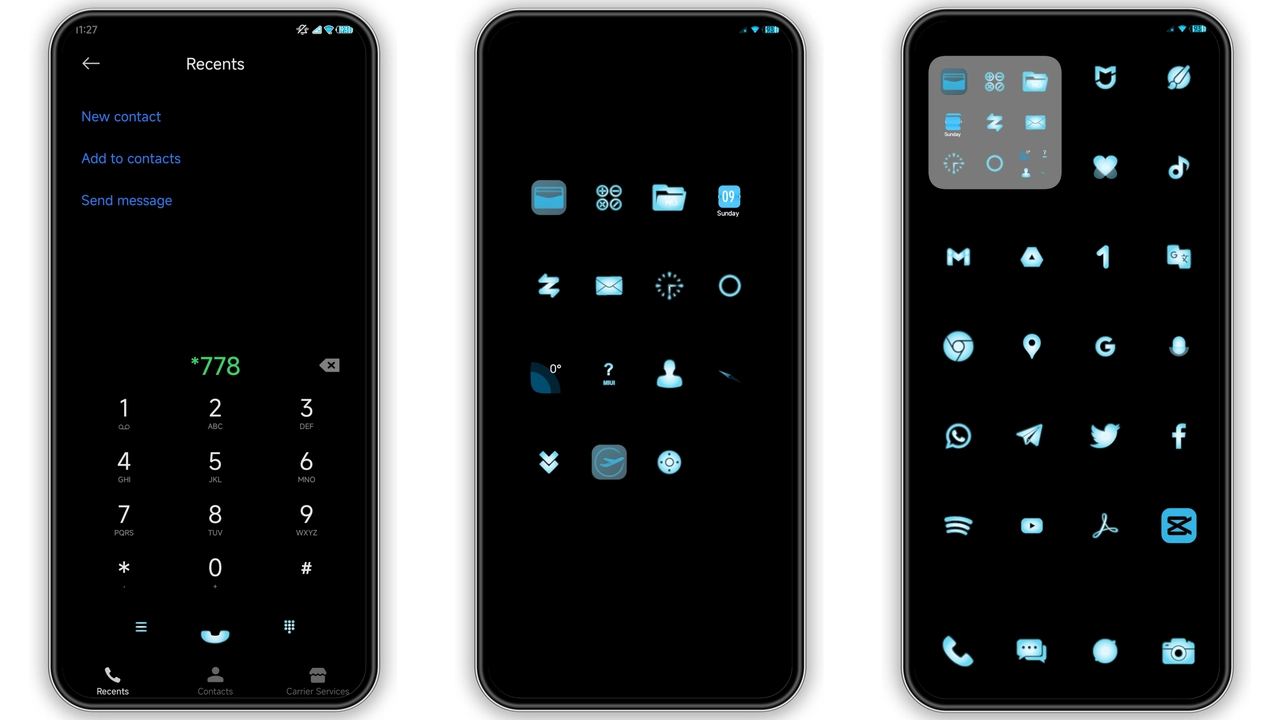
Jiyan Blue Light leans into a deep navy backdrop punctuated by crisp white icons. The status bar adopts a thin, almost translucent bar that lets the wallpaper breathe. Lock screen shows a subtle gradient that shifts from midnight to a faint teal when the Always‑on Display kicks in. Icons receive a uniform rounded‑square treatment, each outlined with a thin neon‑blue stroke that adds a pop without overwhelming the eye. The wallpaper pack includes four high‑resolution shots—cityscapes at dusk, abstract waveforms, and a minimalist star field—each calibrated to match the theme’s cool temperature. Overall vibe: sleek, modern, slightly tech‑noir.
Suggested Read: Trending HyperOS & MIUI Theme: Minimalist Planet Pulse Review
Who’ll Love This Mood‑Shifted Palette
Fans of dark mode who still crave a hint of colour will gravitate toward Jiyan Blue Light. It suits power users who spend long hours on their phone and need a low‑glare interface, yet appreciate a splash of blue to keep the UI from feeling sterile. The theme also appeals to fans of minimalist aesthetics; there are no busy overlays or animated elements, just clean lines and consistent spacing. Users of Xiaomi, Redmi and POCO devices who enjoy swapping stock looks for something that feels both premium and cohesive will find this theme a natural fit. Creative professionals who like a calm backdrop for reading or editing also benefit from the reduced contrast.
Installing on HyperOS vs MIUI: What to Expect
On HyperOS the installation path mirrors the standard MIUI flow: open the Theme Store app, tap the download button, then hit Apply. The theme automatically switches the lock screen, status bar, icons and AOD. HyperOS adds a small extra step—confirming the theme under Settings → Display → Theme—but the process remains one‑tap. On pure MIUI (versions 14 and up) the workflow is identical, though older MIUI builds may require manual import of the MTZ file via the Import button at the bottom of the Themes page. In both ecosystems the theme respects system‑wide dark mode toggles, so switching between light and dark mode will keep the blue accents intact.
Pros and Cons
• Pros
• Cohesive blue‑dark palette, easy on the eyes
• Lightweight (20 MB) and fast to install
• Works flawlessly on HyperOS and MIUI
• Includes fresh wallpapers and AOD design
• Cons
• No animated icons; static only
• Limited to blue‑centric color scheme
• Requires Theme Store import; direct OTA install not supported
Theme Preview
Download Links
Use the buttons below to open the theme file and the supporting link.
Jiyan Blue Light Theme mtz File
Helpful links
More Theme Updates
For more curated HyperOS and MIUI theme updates, visit Hyper OS x MIUI .