Parameter · Value
Designer · IgSam93
Size · 8.04 MB
Format · .mtz
Compatibility · HyperOS / MIUI
Striking Red Palette & Iconography
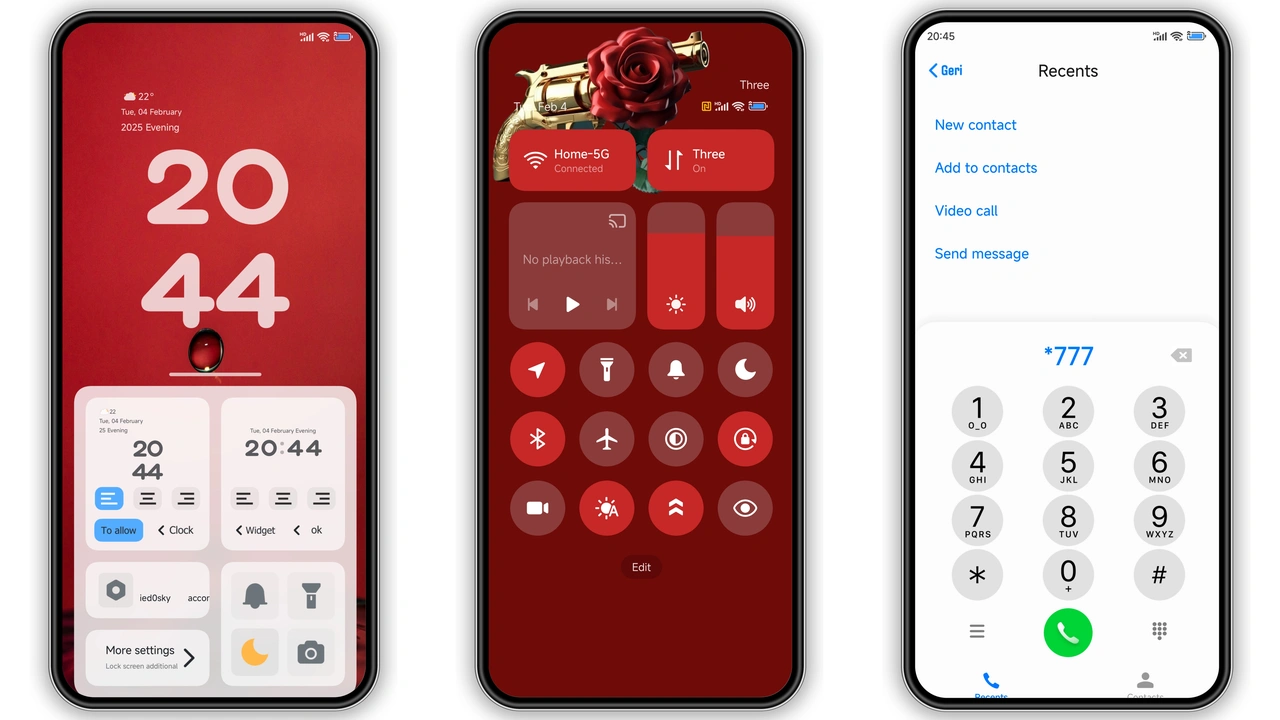
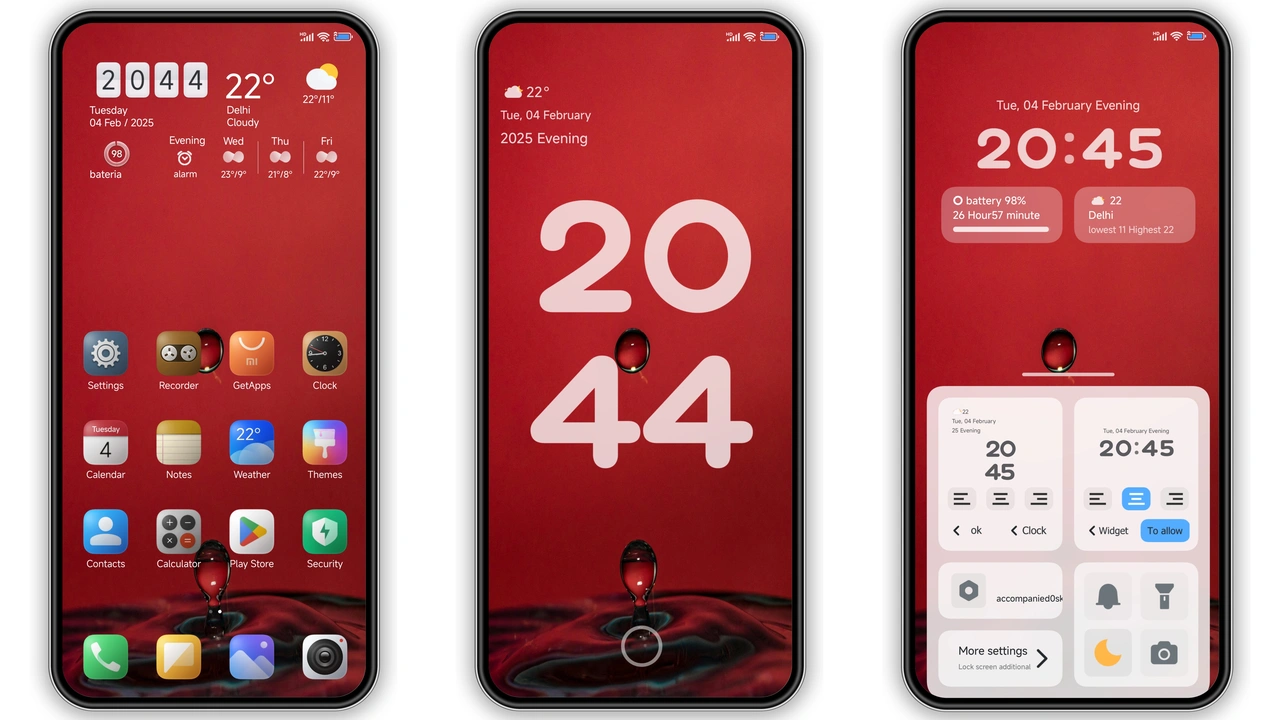
Theme drenches UI in vivid scarlet. Status bar glows crimson. Icons shrink to minimalist silhouettes. Corners round off for softer feel. Wallpapers feature neon‑lit streets. Lock screen animates pulsating red rings. Always‑on display mirrors theme’s hue. Text shadows adopt dark charcoal for readability. Color contrast meets accessibility standards. Animation speed tuned for fluidity. No gratuitous glitter. Visual language stays consistent across apps. System fonts retain original weight. Accent colors limit to red, black, white. Result: cohesive, eye‑catching experience.
Suggested Read: Archive: OX F3 HyperOS Theme – Detailed MTZ File Record
Ideal Audience: Power Users & Red Aficionados
Fans of bold color gravitate here. Users seeking fresh look beyond stock. Redmi owners craving premium feel. Xiaomi power users who tweak UI. Gamers who appreciate high contrast. Minimalist lovers who enjoy reduced clutter. Designers who need inspiration from strong palette. Users with dark‑mode habit find theme complementary. Not for those preferring pastel or muted tones. Not for devices lacking HyperOS support. Early adopters who test new builds will appreciate rapid updates. Community members who share theme packs find this a solid addition.
Device Compatibility & Performance Notes
Theme declares compatibility with HyperOS and MIUI. Works on Xiaomi, Redmi, POCO models. Requires system version that supports .mtz import. Does not function on legacy Android skins lacking theme engine. Memory footprint modest at 8 MB. No noticeable lag during navigation. Battery impact negligible; red accents do not increase wake‑up cycles. Some users report slight delay on first launch after install; resolves after reboot. Theme respects system‑wide dark mode toggle. Does not interfere with third‑party launchers. Tested on flagship and mid‑range devices alike. No known conflicts with popular customization apps.
Installation Walkthrough & Download Tips
Download link provides single .mtz file. Save file to internal storage or SD card. Open Theme Store app. Navigate to "Themes" tab. Scroll to bottom, tap "Import". Locate saved .mtz file, select it. Theme preview appears; verify icons, wallpapers, lock screen. Tap "Apply". Wait for system to apply resources. Restart device to clear cache and ensure all elements render correctly. If lock screen shows missing graphics, repeat apply step. For custom ROM users, ensure ROM includes theme engine. Use file manager to move .mtz to "/Themes" folder for easier access. Avoid renaming file; keep original name to prevent import errors.
Pros and Cons
• Pros
• Vibrant red aesthetic
• Consistent design across UI elements
• Low memory usage
• Smooth animations
• Compatible with major Xiaomi lineups
• Cons
• Limited to red‑centric palette
• Not suited for light‑mode purists
• Requires manual reboot for full effect
• No built‑in dark‑mode toggle within theme
Theme Preview
Download Links
Use the buttons below to open the theme file and the supporting link.
IgThemeV15 Theme mtz File
Helpful links
More Theme Updates
For more curated HyperOS and MIUI theme updates, visit Hyper OS x MIUI .