Parameter · Value
Designer · abangTutor (with community help)
Size · 24.74 MB
Format · .mtz
Compatibility · HyperOS / MIUI (Xiaomi, Redmi, POCO)
Vivid Neon Green Meets Dark Anime Shadows
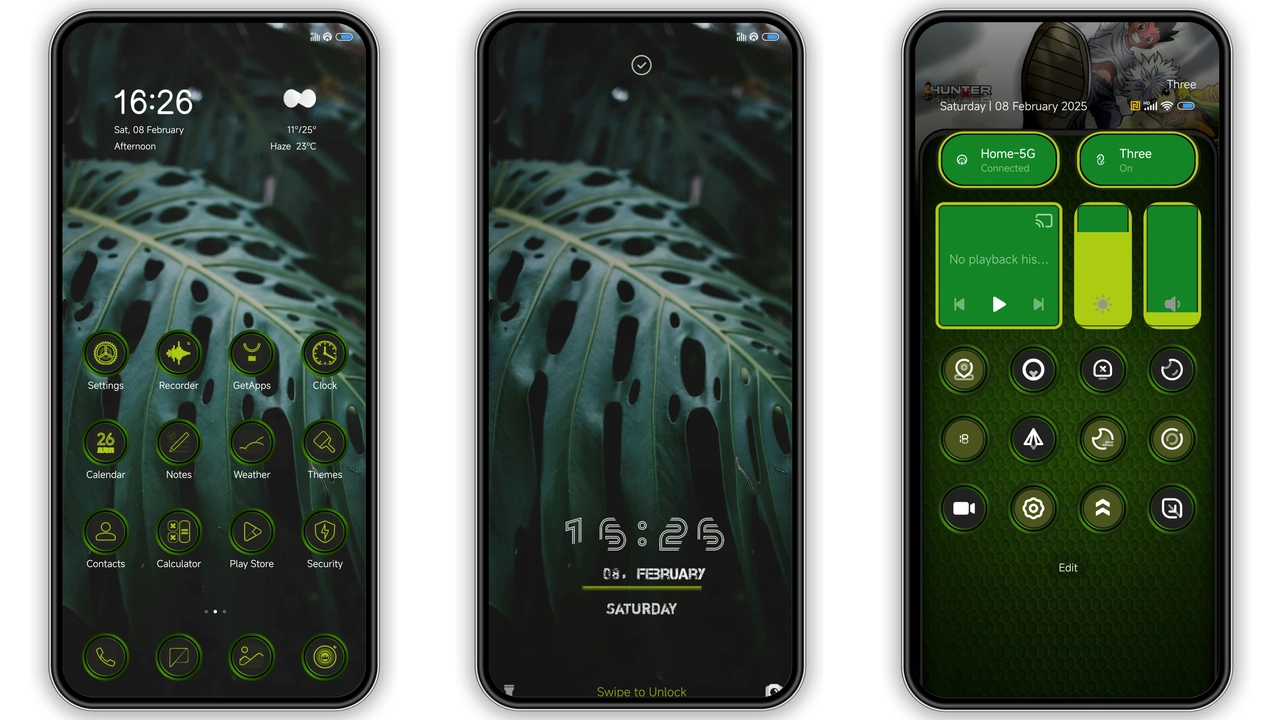
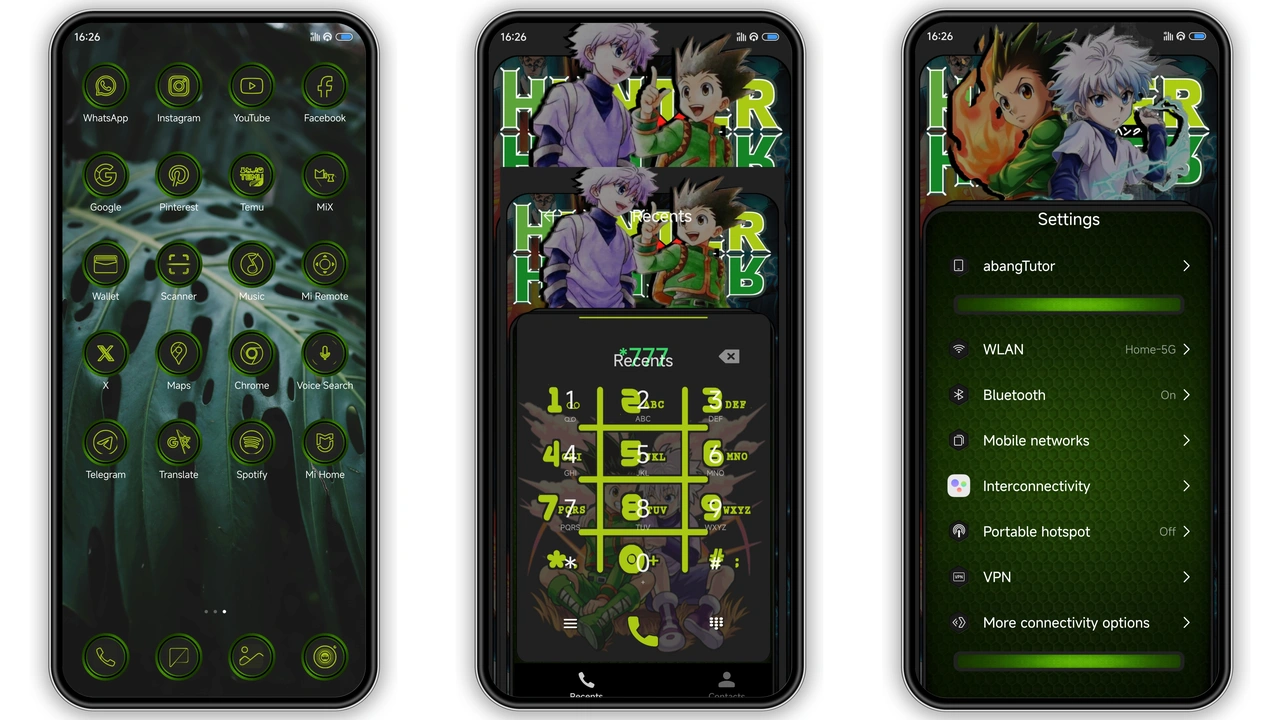
The moment you tap the theme, a neon‑green pulse erupts against a matte black backdrop. Icons swap to stylized anime silhouettes, each outlined in a subtle glow that feels both futuristic and nostalgic. Wallpapers showcase high‑contrast cityscapes drenched in emerald rain, while the lock screen adopts a kinetic animation that flickers like a cyber‑samurai’s blade. The Always‑On Display (AOD) isn’t an afterthought; it mirrors the green accent, turning the time readout into a low‑key statement piece. Even the notification bar adopts a sleek translucent hue, letting the background breathe without sacrificing legibility.
Suggested Read: Orange Blue Corner vs Jiyan Silver: Which Theme Fits Your Xiaomi Best?
Who’ll Gravitate Toward This Theme
• Anime enthusiasts – The character‑inspired icons and animated lock screen speak directly to fans of Japanese animation.
• Dark‑mode devotees – The entire palette is built around true black, ensuring OLED screens conserve power while looking premium.
• Green‑color lovers – If you’ve ever customized a desktop with a neon‑green accent, this theme translates that vibe to mobile.
• Xiaomi power users – Those who already tinker with HyperOS will appreciate the seamless integration and the fact that the theme respects the system’s overlay architecture.
Compatibility Checklist & Device Fit
HyperOS and MIUI share a common theme engine, but there are a few gotchas:
1. Dark mode must be enabled first. The theme only loads its assets when the system is in dark mode; attempting to apply it in light mode results in missing icons.
2. Device tier matters. High‑end models (Mi 12, Redmi K50 series, POCO F5) render the animated lock screen flawlessly. Mid‑range devices may skip the animation to preserve performance.
3. Custom ROMs are supported. Any ROM that still respects the MTZ format—MIUI 11‑14, HyperOS‑based custom builds—will accept the file.
4. Regional firmware. Global and Chinese firmware both work, but the Chinese version may show a default Chinese label on the theme preview.
Installation Walkthrough & What to Expect
1. Download the MTZ file. The package is a 24.74 MB .mtz archive hosted on a file‑sharing service. Ensure you have enough storage; the installer will unpack temporary assets.
2. Switch to dark mode. Navigate to Settings → Display → Dark mode and toggle it on.
3. Open the Theme Store app. Tap the three‑dot menu, choose “Import,” then locate the downloaded .mtz file.
4. Apply the theme. After import, hit “Apply.” The system will prompt a reboot; accept it to let the overlay fully register.
5. Post‑install tweaks. If icons appear misaligned, clear the Theme Store cache (Settings → Apps → Theme Store → Storage → Clear cache) and restart again.
Pros and Cons
• Pros
• Striking neon‑green aesthetic that stands out.
• Full dark‑mode integration, battery‑friendly on OLED.
• Anime‑inspired icons add personality.
• Compatible with both stock HyperOS and custom ROMs.
• Lightweight (under 25 MB) and no extra apps needed.
• Cons
• Requires dark mode; cannot be used in light mode.
• Animated lock screen may lag on low‑end devices.
• Limited to green accent; users seeking multi‑color palettes may feel confined.
• No built‑in font customization.
Overall, Gonxxxkillua v2 delivers a bold, cohesive look that transforms Xiaomi, Redmi, and POCO phones into neon‑lit canvases. Its anime flair and dark‑mode focus make it a niche favorite, while the straightforward install process keeps it accessible for the average user. If you’re hunting for a theme that screams personality without sacrificing performance, this package deserves a spot on your device.
Theme Preview
Download Links
Use the buttons below to open the theme file and the supporting link.
Gonxxxkillua v2 Theme mtz File
Helpful links
More Theme Updates
For more curated HyperOS and MIUI theme updates, visit Hyper OS x MIUI .