Parameter · Value
Designer · MBAH ZHUTI
Size · 20.48 MB
Format · MTZ
Compatibility · HyperOS, MIUI
Fresh Frosted‑Glass Aesthetic
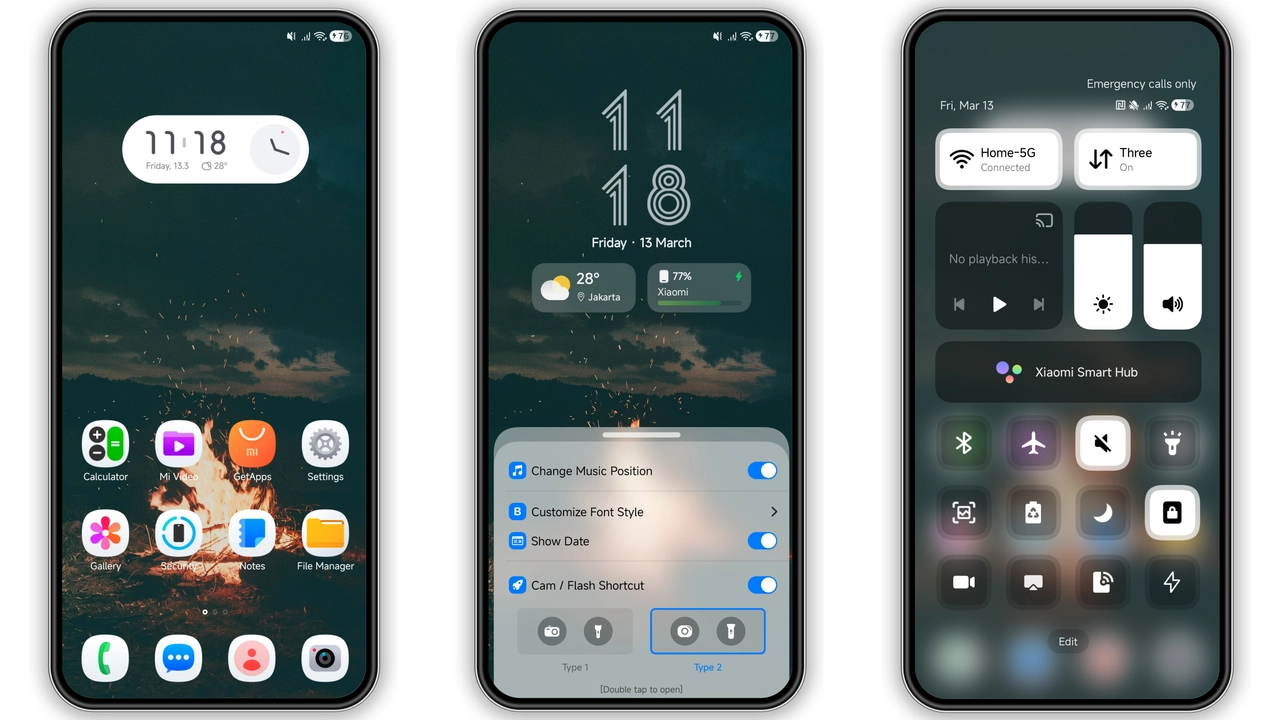
The first thing you notice is the frosted‑glass overlay that blankets the home screen. It isn’t a heavy blur; it’s a light veil that lets the wallpaper breathe while giving every widget a subtle depth cue. The effect feels modern without sacrificing readability. Text remains crisp, and the contrast between icons and background stays balanced. This visual language fits users who enjoy a sleek, semi‑transparent UI that feels premium yet unobtrusive.
Suggested Read: Archive Entry: 毛绒 发财2026 MTZ Theme – A Playful HyperOS & MIUI Pack
Icon Pack Fusion: Art, Samsung, One UI
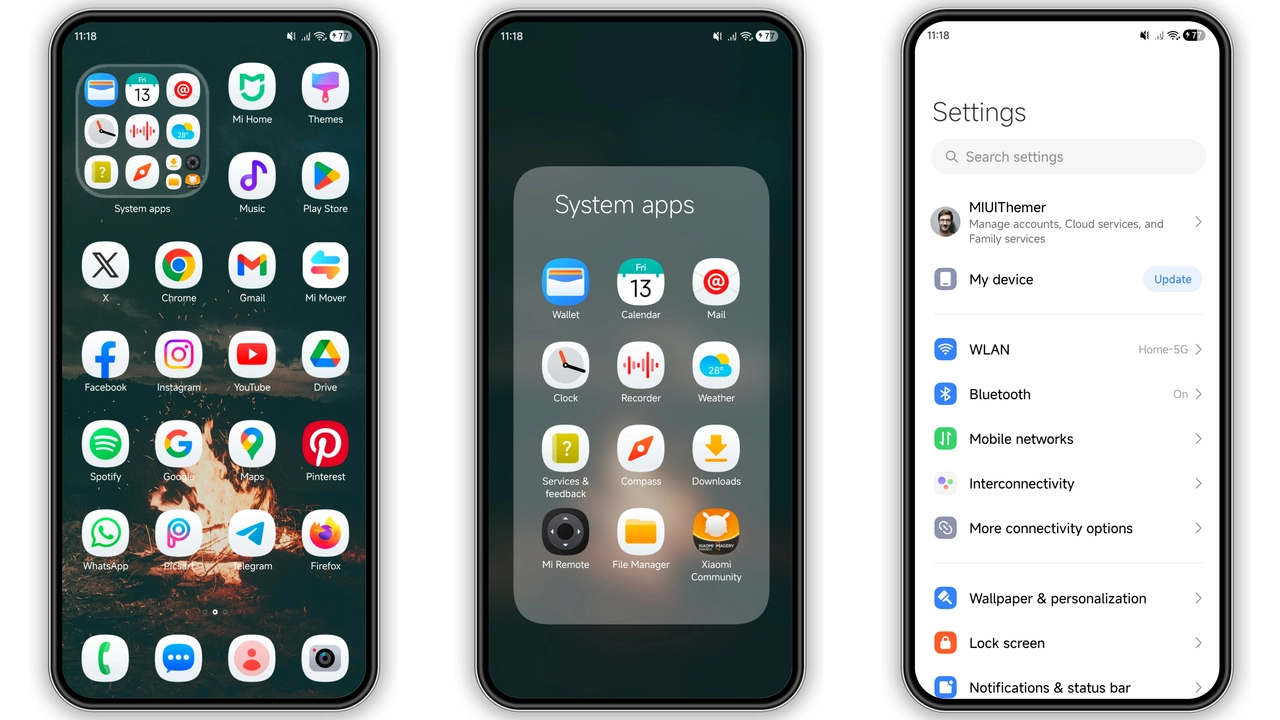
ETOMOX MATI COLI doesn’t rely on a single icon style. It stitches together three distinct families—Art‑styled icons, Samsung‑inspired glyphs, and One UI silhouettes. The result is a curated collage where each app finds its visual niche. System apps adopt the clean One UI look, while third‑party apps get the vibrant Art treatment. Samsung‑style icons appear on select utilities, adding a familiar touch for users who have switched from Samsung devices. The mix stays coherent thanks to a unified color palette of muted greens and soft neutrals.
Lock Screen & Always‑On Display Experience
Lock screen redesign goes beyond a new wallpaper. The theme introduces a centered clock with a thin, glowing outline that matches the frosted glass. Swipe gestures reveal quick‑access shortcuts that inherit the same icon set, keeping visual consistency. The Always‑On Display (AOD) adopts the same glass effect, showing time and notification icons in a low‑power mode that still feels alive. Users report that the AOD remains legible even in bright daylight, a testament to the careful balance of opacity and contrast.
Installation Flow & What to Expect
Applying ETOMOX MATI COLI is straightforward. Download the MTZ file, open the Theme Store app, tap the three‑dot menu, select “Import,” and point to the file. The theme installs in seconds, then prompts a reboot to ensure all overlays render correctly. After reboot, expect a brief moment where some widgets may appear unstyled; this resolves automatically after the first home‑screen refresh. No additional apps or root access are required. The theme works on any HyperOS or MIUI device that supports MTZ imports, including Xiaomi, Redmi and POCO models.
Who Will Love This Theme?
If you appreciate a minimalist aesthetic with a hint of glassy elegance, this theme hits the mark. It appeals to users who:
• Want a unified look across system and third‑party apps.
• Prefer subtle visual effects over loud gradients.
• Use the lock screen and AOD as daily glance points.
• Own multiple Xiaomi‑family devices and desire a consistent UI.
Conversely, users who favor bold, high‑contrast themes or heavily animated transitions might find the frosted‑glass approach too restrained.
Pros and Cons
• Pros
• Elegant frosted‑glass overlay, modern feel.
• Diverse icon set, cohesive palette.
• Seamless lock screen and AOD integration.
• Simple MTZ install, no root required.
• Low file size, fast download.
• Cons
• Subtle visual changes may feel minimal to power users.
• Limited dark‑mode variations; primarily a light‑theme design.
• Some third‑party apps retain original icons if not covered.
Overall, ETOMOX MATI COLI delivers a polished, glass‑infused makeover that respects the underlying HyperOS and MIUI frameworks while offering enough visual flair to keep daily use fresh.
Theme Preview
Download Links
Use the buttons below to open the theme file and the supporting link.
ETOMOX MATI COLI Theme mtz File
Helpful links
More Theme Updates
For more curated HyperOS and MIUI theme updates, visit Hyper OS x MIUI .


