Parameter · Value
Designer · sumi7t
Size · 7.92 MB
Format · MTZ
Compatibility · HyperOS / MIUI
Midnight Blue Palette with Dynamic Lockscreen
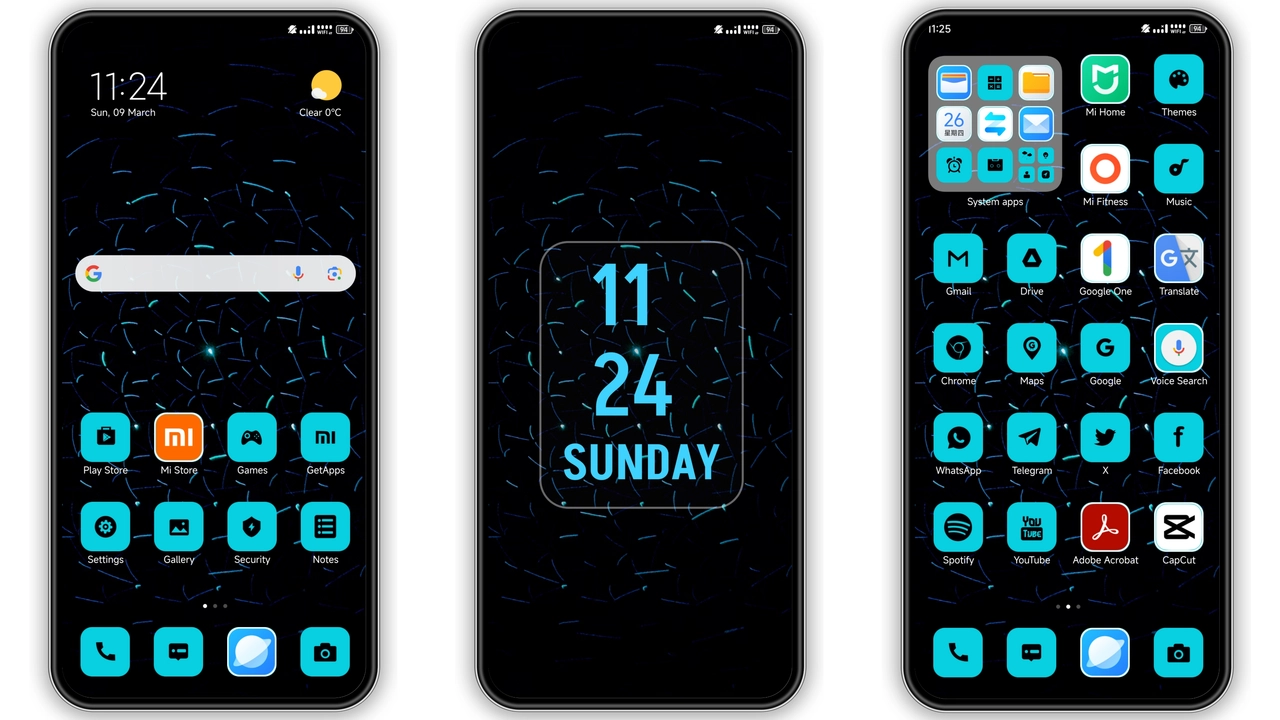
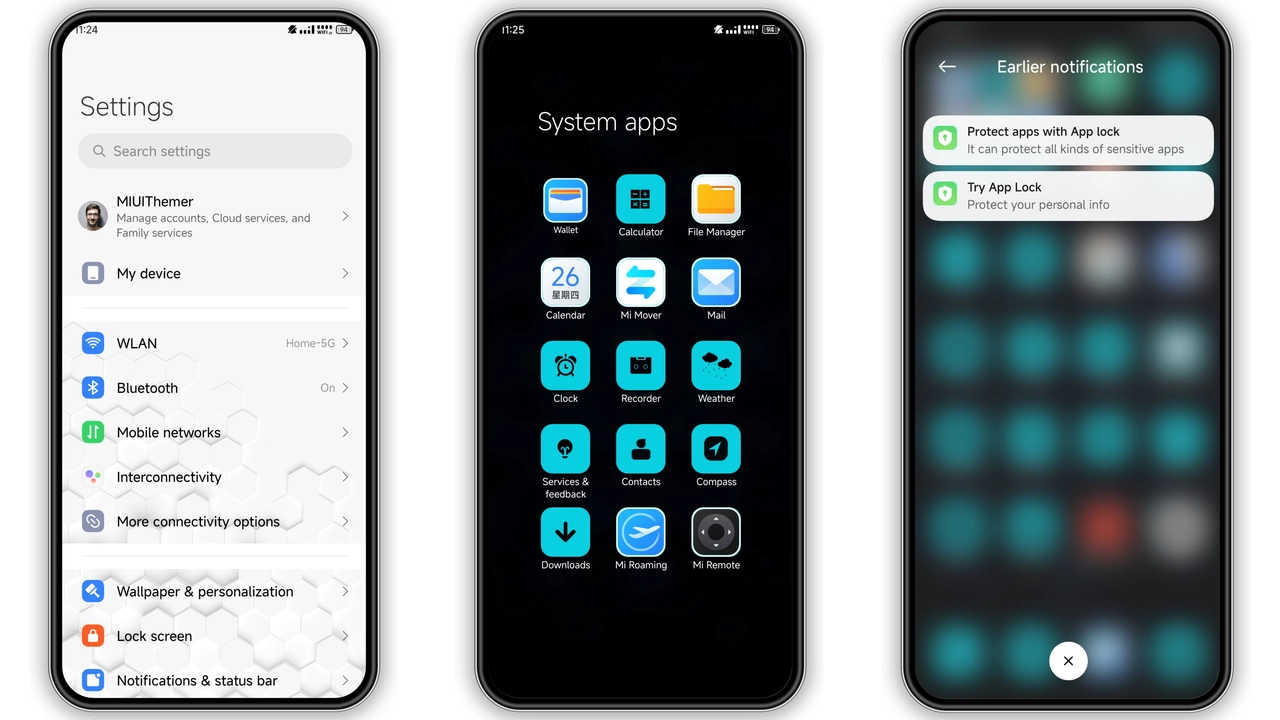
Essence Echo drapes the UI in deep navy and electric cyan. The status bar adopts a subtle gradient that shifts with ambient light, while the lock screen animates a pulse‑like wave across the clock. Wallpapers feature high‑contrast cityscapes that echo the theme’s cyber‑chrome vibe. The overall feel leans toward sleek futurism without sacrificing readability.
Suggested Read: Trending Avocado Half MTZ Theme for HyperOS & MIUI
Iconography and Vector Detail
All 65+ icons are vector‑based, guaranteeing crispness at any density. Contact, dialer, messaging and control‑center icons receive a unified stroke weight, reinforcing the theme’s consistency. The icon set leans toward rounded corners, a nod to Xiaomi’s design language, yet the cyan accents set it apart. HD wallpapers complement the icons, offering a seamless visual flow from home screen to lock screen.
Who’ll Love This Dark‑Blue Aesthetic
Night‑owl users, minimalists who crave a darker UI, and fans of cyber‑punk color schemes will gravitate toward Essence Echo. It suits power users who spend hours in the notification shade because the contrast reduces eye strain. The theme also appeals to POCO owners who want a premium look without installing a third‑party launcher.
Installation Walkthrough and Gotchas
1. Download the MTZ file from the official theme page.
2. Open the Themes app (pre‑installed on HyperOS/MIUI).
3. Tap the three‑dot menu → Import → select the downloaded file.
4. Apply the theme; the system prompts a reboot.
5. After reboot, verify that the lock screen animation runs and that the status bar colors match the preview.
Common hiccups:
• Import fails on custom ROMs older than MIUI 11. Update the Themes app or use a newer ROM.
• Some third‑party widgets retain their original colors; a quick widget refresh resolves this.
• If the lock screen appears static, clear the Theme cache in Settings → Apps → Themes → Storage → Clear Cache.
Pros and Cons
Pros
• Cohesive dark‑blue palette.
• Fully vector icons, no pixelation.
• Dynamic lock screen adds flair.
• Small file size, quick download.
• Works on HyperOS, MIUI 14 and earlier compatible builds.
Cons
• Limited light‑mode variant.
• Some third‑party launchers ignore icon overrides.
• No built‑in widget skinning.
Theme Preview
Download Links
Use the buttons below to open the theme file and the supporting link.
Essence Echo Theme mtz File
Helpful links
More Theme Updates
For more curated HyperOS and MIUI theme updates, visit Hyper OS x MIUI .