Parameter · Value
Designer · DANBR
Size · 15.01 MB
Format · .mtz
Compatibility · HyperOS / MIUI (Xiaomi, Redmi, POCO)
Sky‑Blue Minimalism in the Lock Screen
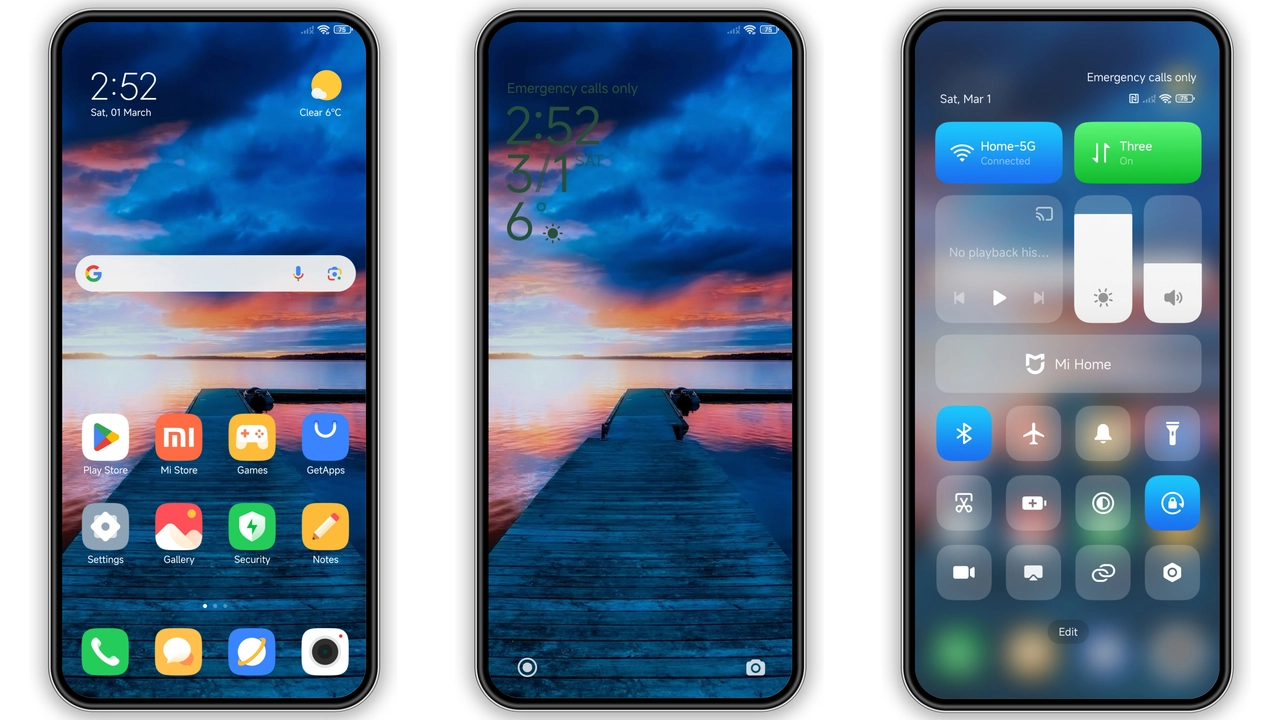
The lock screen adopts a pale cyan gradient that fades into a soft white horizon. Clock digits use a thin sans‑serif typeface, making the display feel airy rather than crowded. Notification icons inherit the same muted palette, so alerts blend without stealing focus. The result is a lock screen that feels like a brief sunrise, inviting a calm start to the day.
Suggested Read: Archive Entry: HyperF1 HyperOS Theme – Blue Minimalist for Xiaomi & Redmi
Vibrant Icons and Fresh Wallpapers
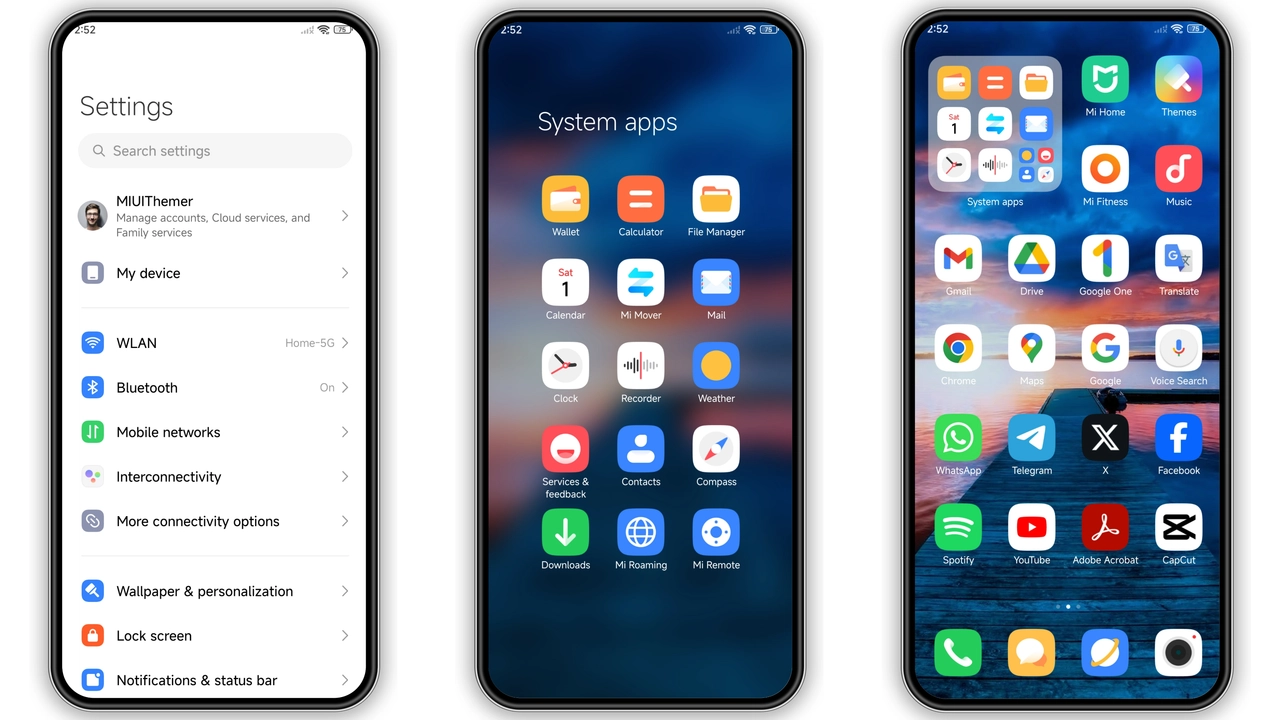
Every app icon receives a subtle recolor. System apps keep their original shape but gain a sky‑tinted overlay; third‑party icons are replaced with flat, rounded versions that echo the theme’s pastel scheme. Wallpapers rotate between three high‑resolution shots: a misty mountain range, a clear midday sky, and a twilight city silhouette. Each image matches the accent colors used in the status bar, ensuring visual cohesion across the UI.
Who Will Love This Look
• Minimalist fans who reject heavy gradients and neon glows.
• Users who enjoy a cohesive color story rather than a collage of unrelated tones.
• Xiaomi, Redmi and POCO owners seeking a free, official‑compatible theme.
• People who prefer subtle visual upgrades over radical redesigns.
If you gravitate toward clean aesthetics and appreciate a theme that respects the original Android layout, DAN_V5 feels like a natural extension of the OS rather than a forced overlay.
Installation Walkthrough and What to Expect
1. Download the .mtz file from the provided link.
2. Open the Theme Store app on your device.
3. Tap the three‑dot menu → Import → locate the downloaded file.
4. Confirm import; the theme appears in My Themes.
5. Apply the theme; the system prompts a quick restart.
6. After reboot, verify that icons, wallpapers and lock screen reflect the new palette.
During installation the theme may momentarily flicker as resources reload. This is normal; a full restart guarantees that all elements—status bar, always‑on display, quick settings—show the updated assets. No root access is required; the theme works on stock HyperOS and MIUI builds as well as on most community ROMs that support .mtz files.
Pros and Cons
Pros
• Light, breathable visual language.
• Consistent icon set reduces visual clutter.
• Low file size; quick download and install.
• Fully compatible with HyperOS and MIUI on Xiaomi, Redmi, POCO.
• Free and officially distributable.
Cons
• Limited customization; users cannot tweak individual colors.
• No dark‑mode variant; the theme stays bright.
• Icon redesign may clash with heavily customized launchers.
• Wallpaper rotation limited to three images.
Overall, DAN_V5 delivers a polished, sky‑inspired experience that feels native to HyperOS. Its modest size and straightforward installation make it a low‑risk experiment for anyone looking to freshen up their Xiaomi device without diving into deep theming tools.
Theme Preview
Download Links
Use the buttons below to open the theme file and the supporting link.
DAN_V5 Theme mtz File
Helpful links
More Theme Updates
For more curated HyperOS and MIUI theme updates, visit Hyper OS x MIUI .


