Parameter · Value
Designer · moscreen
Size · 4.28 MB
Format · MTZ
Compatibility · HyperOS / MIUI
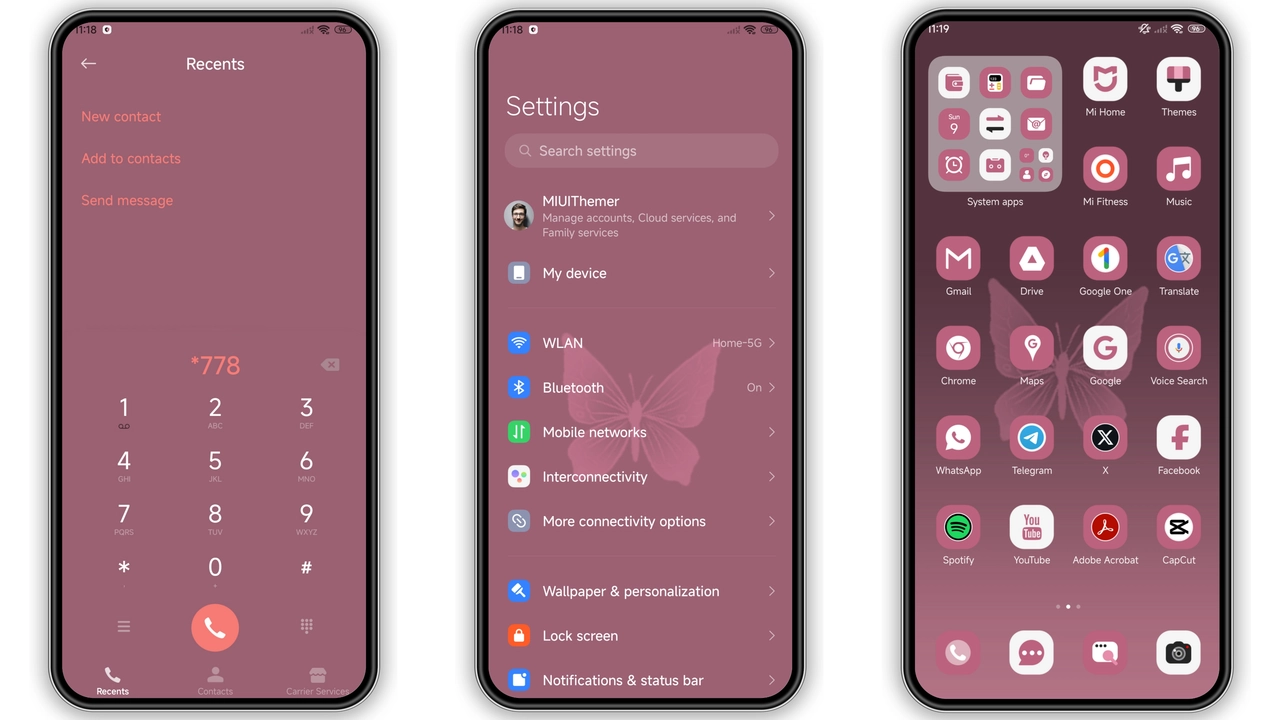
Vibrant Pink‑Black Visual Language
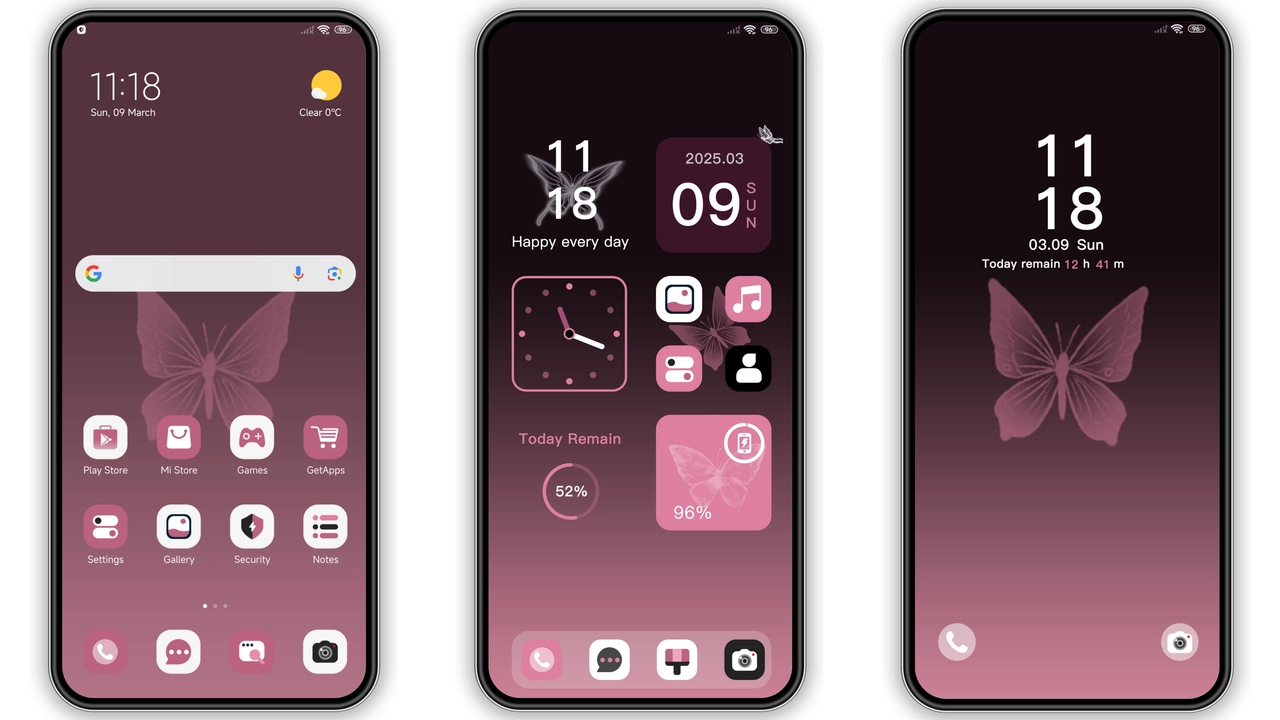
Butterfly Powder embraces a high‑contrast pink‑black palette. The background walls are deep charcoal, allowing neon‑pink icons to pop without overwhelming the eye. Wallpaper set features soft gradients that mimic a sunrise over a night sky, giving the lock screen a dynamic feel. Status bar adopts a translucent pink hue, while notification icons stay white for readability. The Always‑On Display inherits the same scheme, turning idle moments into a subtle light show. Animations are buttery‑smooth, with ripple effects that match the theme’s color code. Overall, the visual language feels both bold and elegant, perfect for users who want a splash of color without sacrificing legibility.
Suggested Read: Sleek Cat‑Banner Theme for Redmi Note & Poco – HyperOS Ready
Ideal Audience: Style‑Savvy Xiaomi Users
If you own a Xiaomi, Redmi, or POCO device running HyperOS or MIUI, this theme is tailored for you. It appeals to users who enjoy a modern, slightly edgy look—think gamers, creators, and anyone who likes their UI to stand out in a crowd. The pink accents attract a younger demographic, yet the restrained black base keeps it from feeling gimmicky. Users who prefer minimalist icons may need to adjust icon packs, but the default set already offers a clean silhouette that complements the color scheme. Those who value performance will appreciate that the theme’s 4.28 MB footprint adds negligible load time.
Installation Walkthrough & Expectations
1. Download the MTZ file from the official source. It lands in your Downloads folder.
2. Open the Themes Store app (pre‑installed on HyperOS/MIUI). Navigate to My Themes → Import.
3. Select the MTZ file you just saved. The app validates the package and displays a preview.
4. Tap Apply. The system swaps icons, wallpapers, lock screen, and AOD in one go.
5. Reboot (optional but recommended). A quick restart clears any lingering cache and ensures all elements render correctly.
During the process, expect a brief pause while the system generates the new icon cache. No data loss occurs; the original theme remains selectable in the Themes Store. If you notice misaligned widgets, a single restart usually resolves the issue.
Pros and Cons
• Pros
• Striking pink‑black contrast, eye‑catching yet readable.
• Low file size, minimal impact on storage.
• Seamless integration with HyperOS and MIUI lock screens.
• Consistent AOD design, adds personality to idle screen.
• Easy import via Themes Store, no third‑party tools needed.
• Cons
• Pink hue may not suit users preferring neutral tones.
• Default icon set leans toward a modern look; minimalist fans might need a custom pack.
• Requires a quick reboot for perfect rendering.
• No built‑in dark‑mode toggle; theme is locked to its pink‑black scheme.
Overall, Butterfly Powder delivers a bold aesthetic without sacrificing performance. Its compatibility across HyperOS and MIUI makes it a versatile choice for anyone looking to refresh their Xiaomi experience.
Theme Preview
Download Links
Use the buttons below to open the theme file and the supporting link.
Butterfly Powder Theme mtz File
Helpful links
More Theme Updates
For more curated HyperOS and MIUI theme updates, visit Hyper OS x MIUI .