Parameter · Value
Designer · suhel
Size · 18.88 MB
Format · MTZ
Compatibility · HyperOS / MIUI (2.0‑3.0)
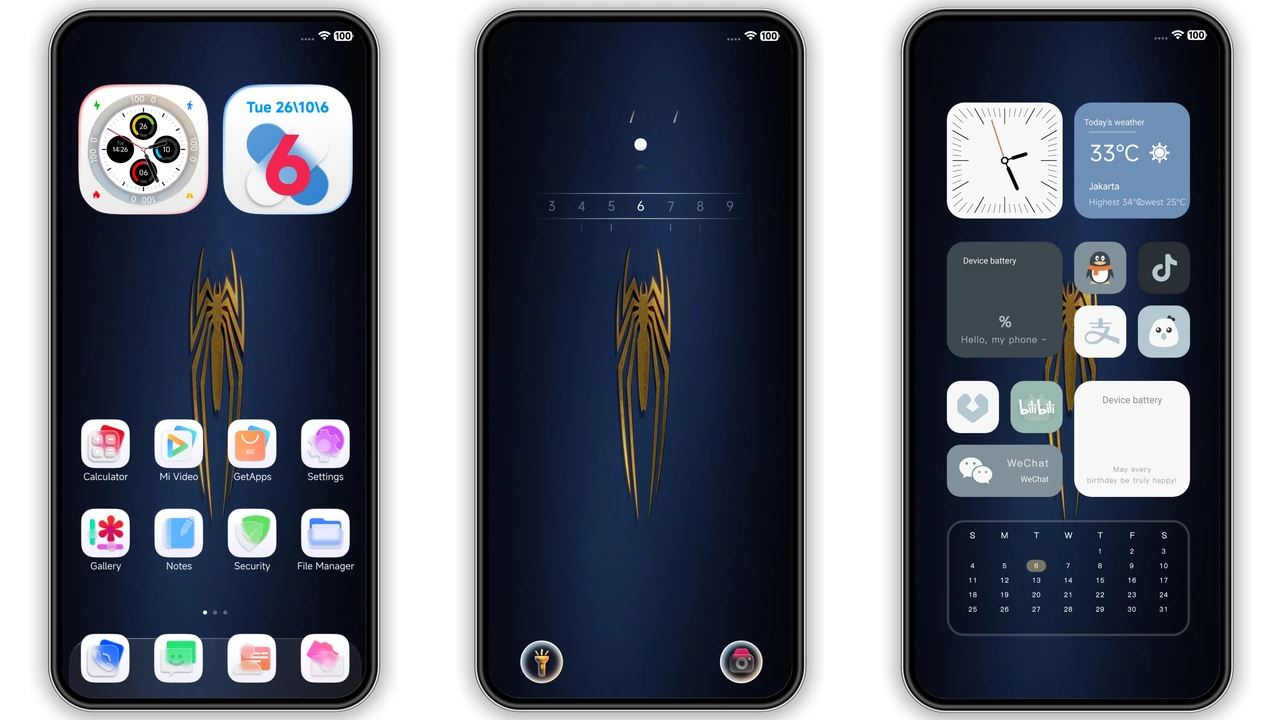
Deep‑Blue Gradient with Golden Spider Emblem
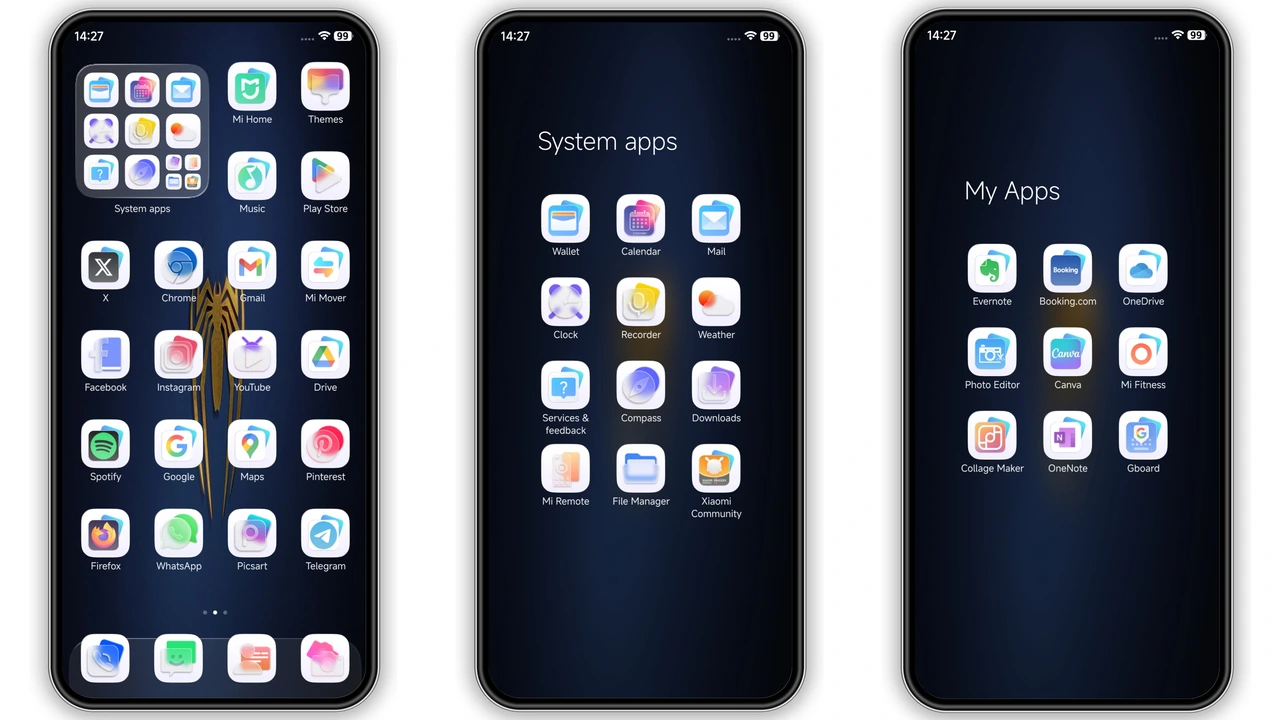
Dark backdrop dominates. Blue gradient fades from navy to teal. Golden spider logo sits center, catching eye. Translucent white squares frame icons. Icons redesign crisp, minimal, consistent. Widgets—clock, calendar—blend into background. Lock screen animates subtly, showing time and date. Always‑on display adopts same palette. Theme feels premium, tech‑forward.
Suggested Read: Blue Color vs Midnight Noir: Which HyperOS Theme Wins?
Who’ll Love This High‑Tech Look
Xiaomi power users seek fresh aesthetics. Redmi owners appreciate lightweight visuals. POCO fans enjoy performance‑friendly skins. Fans of dark mode gravitate to deep tones. Users who like subtle branding—golden spider—feel a personal touch. Minimalist lovers appreciate clean icon squares. Tech‑savvy crowd values consistent widget styling. Anyone wanting a cohesive, modern UI will click download.
Installation Walkthrough for HyperOS & MIUI
Open Theme Store app. Tap “Import” at bottom. Locate downloaded MTZ file. Select file, confirm import. Theme appears in My Themes list. Apply. Device restarts UI layer automatically. For HyperOS 2.0/3.0, same steps apply. If store refuses import, enable “Unknown sources” for theme files. After apply, swipe down notification bar to verify status bar colors match theme. Reboot if icons misalign.
Pros and Cons
• Pros
• Cohesive deep‑blue palette
• Golden spider accent adds uniqueness
• Translucent icons improve readability
• Dynamic lock screen feels fresh
• Lightweight, fast load
• Cons
• Limited color variants (only dark/blue)
• Golden emblem may not suit all tastes
• No built‑in light mode toggle
• Compatibility limited to HyperOS / MIUI 2.0‑3.0
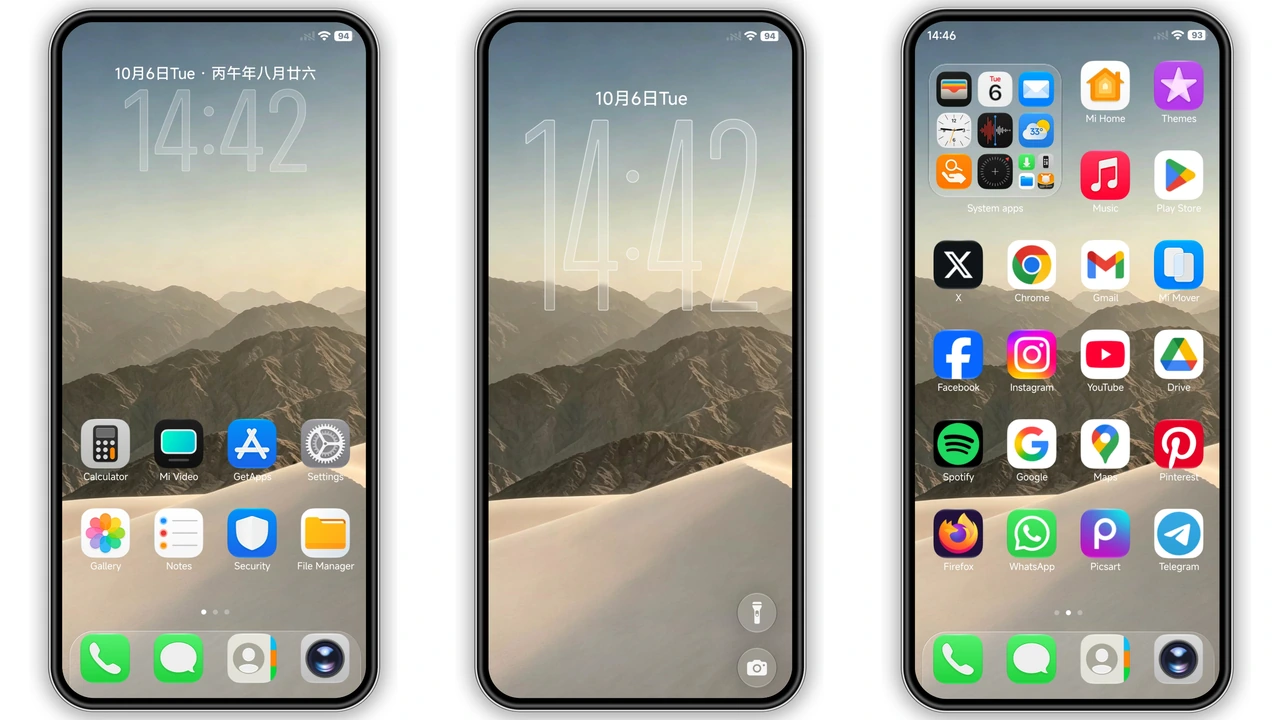
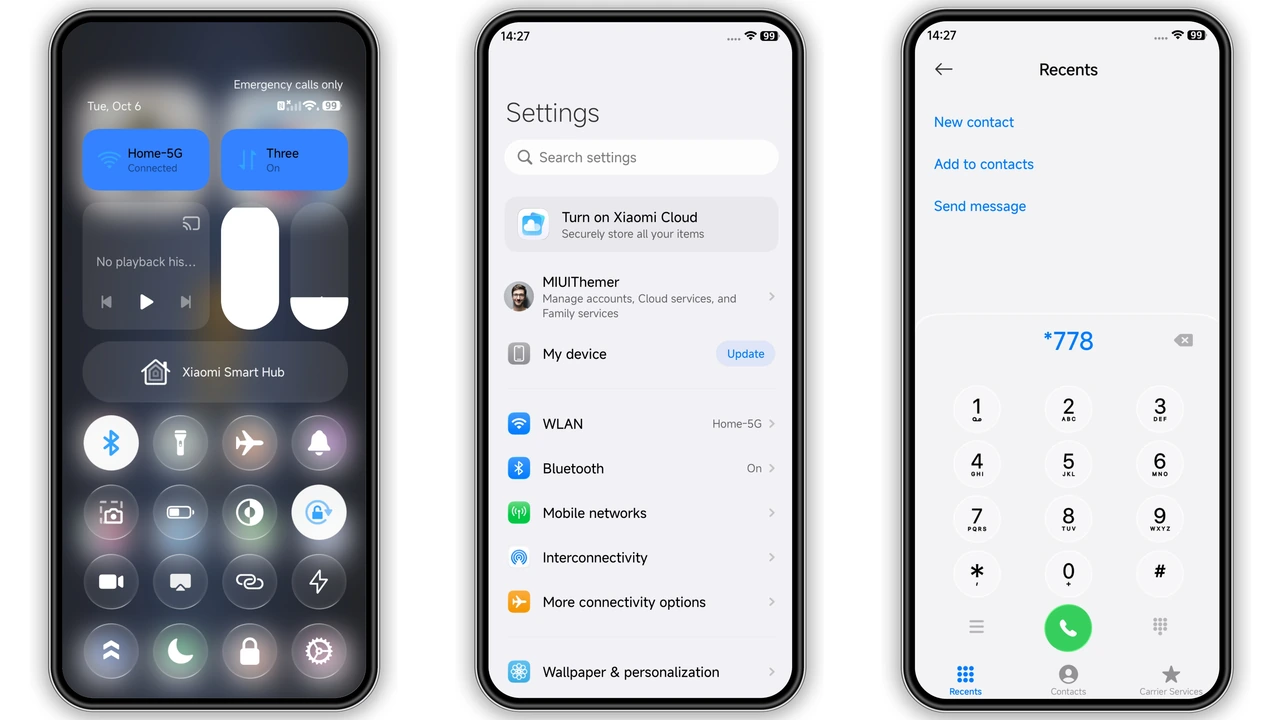
Theme Preview
Download Links
Use the buttons below to open the theme file and the supporting link.
AS suhel Theme mtz File
Helpful links
More Theme Updates
For more curated HyperOS and MIUI theme updates, visit Hyper OS x MIUI .